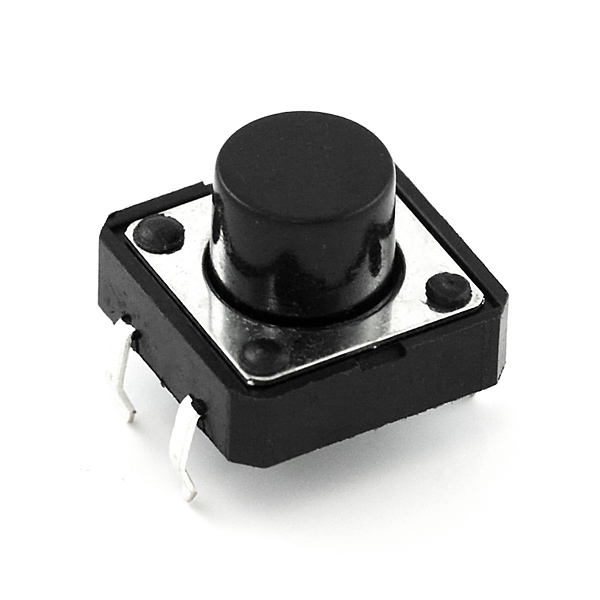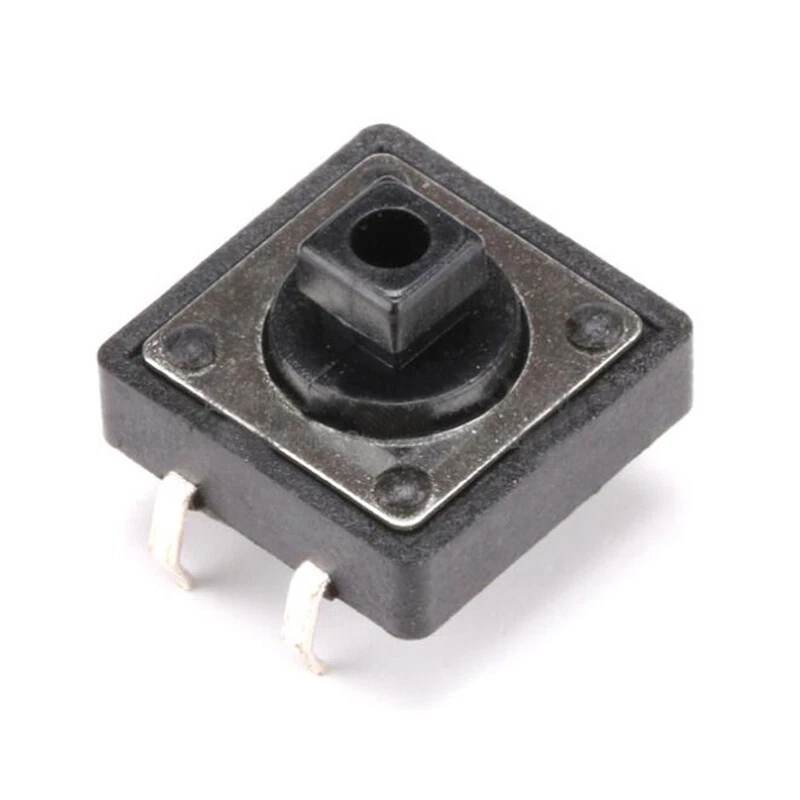
12x12x7.5mm Tactile Push Button Switch - 4 Pin Through-Hole PCB Mount Momentary Tact Switch for Arduino, ESP32 & DIY Electronics - TYPE: B
from AED 0.70 each in a pack of 15
Pack pricing applies automatically in the cart. Schools and robotics teams — sales@diykit.ae for institutional terms.
- UAE-wide delivery, 1–3 working days · free on orders AED 150+
- Ships today for orders before 3pm
- 7-day returns on unopened items
- SKU
- DIY-349
- Category
- Components
- Min. order
- 1 pc
- Barcode
- DKU-000395
The 12 x 12mm tactile switch is the one you reach for when the 6 x 6mm is too small to find by feel. A wider body, a taller 7.5mm actuator and a firmer click make it the right choice for a front panel, an enclosure lid, or any control a person presses without looking at it.
Read the full description ↓Description
The 12 x 12mm tactile switch is the one you reach for when the 6 x 6mm is too small to find by feel. A wider body, a taller 7.5mm actuator and a firmer click make it the right choice for a front panel, an enclosure lid, or any control a person presses without looking at it.
Four-pin through-hole, momentary action, normally open: the circuit closes only while the button is held. Solders into standard 0.1 inch prototyping board and pushes into a breadboard.
The four pins - read this before wiring
A four-pin tact switch does not have four separate contacts. The two pins on the same side are permanently joined inside the switch, whether it is pressed or not. This catches almost everyone once.
| Pins | Relationship |
|---|---|
| The pair on one side | Always connected - a solid link, pressed or not |
| The pair on the other side | Always connected |
| One side to the other side | Open, and closes only while the button is held |
So wire across the switch, never along it. If your button appears permanently pressed, you have used the two pins on the same side - move one wire to the opposite side and it will work. On a breadboard, straddle the centre channel and the orientation takes care of itself.
Wiring it to a board
You do not need an external resistor. Every Arduino, ESP32, ESP8266, STM32 and Raspberry Pi has an internal pull-up you can switch on in software: one side of the button to the GPIO pin, the other side to GND. The pin then reads HIGH at rest and LOW while pressed.
const int BUTTON = 2; void setup() { pinMode(BUTTON, INPUT_PULLUP); // internal pull-up on, no resistor needed Serial.begin(9600); } void loop() { if (digitalRead(BUTTON) == LOW) { // LOW means pressed Serial.println("pressed"); delay(200); // crude debounce } }
If you prefer an external pull-up, a 10kΩ resistor from the pin to 3.3V or 5V does the same job and makes the circuit readable on a schematic.
Contact bounce
A mechanical switch does not close cleanly. The contacts chatter for a few milliseconds, and a microcontroller polling fast enough will see one press as three or four. The fix is either software - ignore further changes for 20 to 50ms after the first - or hardware, a 100nF capacitor across the switch contacts. Every beginner meets this, and it is worth meeting it deliberately rather than chasing a fault that is not there.
Specifications
| Parameter | Value |
|---|---|
| Body size | 12 x 12mm |
| Total height | 7.5mm including actuator |
| Pins | 4, through-hole, DIP |
| Action | Momentary, SPST normally open |
| Mounting | PCB, perfboard, breadboard |
| Rated load | 50mA at 12V DC |
| Contact resistance | 100 milliohm maximum |
| Insulation resistance | 100 megohm minimum |
| Operating force | Approximately 160gf |
| Travel | Approximately 0.25mm |
| Mechanical life | 100,000 cycles |
| Operating temperature | -20°C to +70°C |
What it is for
- Reset, mode and menu buttons on a custom controller or front panel
- User input on Arduino, ESP32 and ESP8266 projects
- Manual override on a relay board or automation controller
- Start, stop and select on robots and test rigs
- Replacing a failed button on an existing board - 12 x 12 is a common original fitment
- Teaching digital input, pull-ups and debouncing, where a button you can actually feel matters
12 x 12 or 6 x 6?
| 12 x 12 x 7.5mm | 6 x 6mm | |
|---|---|---|
| Press target | Large, findable without looking | Small, needs aiming |
| Feel | Firm, definite click | Light |
| Panel work | Actuator reaches through a lid; takes a cap | Usually needs an extension |
| Board space | More | Less |
| Best for | Front panels, enclosures, frequently used controls | Dense boards, occasional-use buttons |
Works with
Arduino UNO, Nano and Mega, ESP32, ESP8266, STM32, Raspberry Pi and Pi Pico, plus breadboards, perfboard and through-hole PCBs. Nothing about it is board-specific.
12x12x7.5mm 4-pin tactile push button switch
Related components