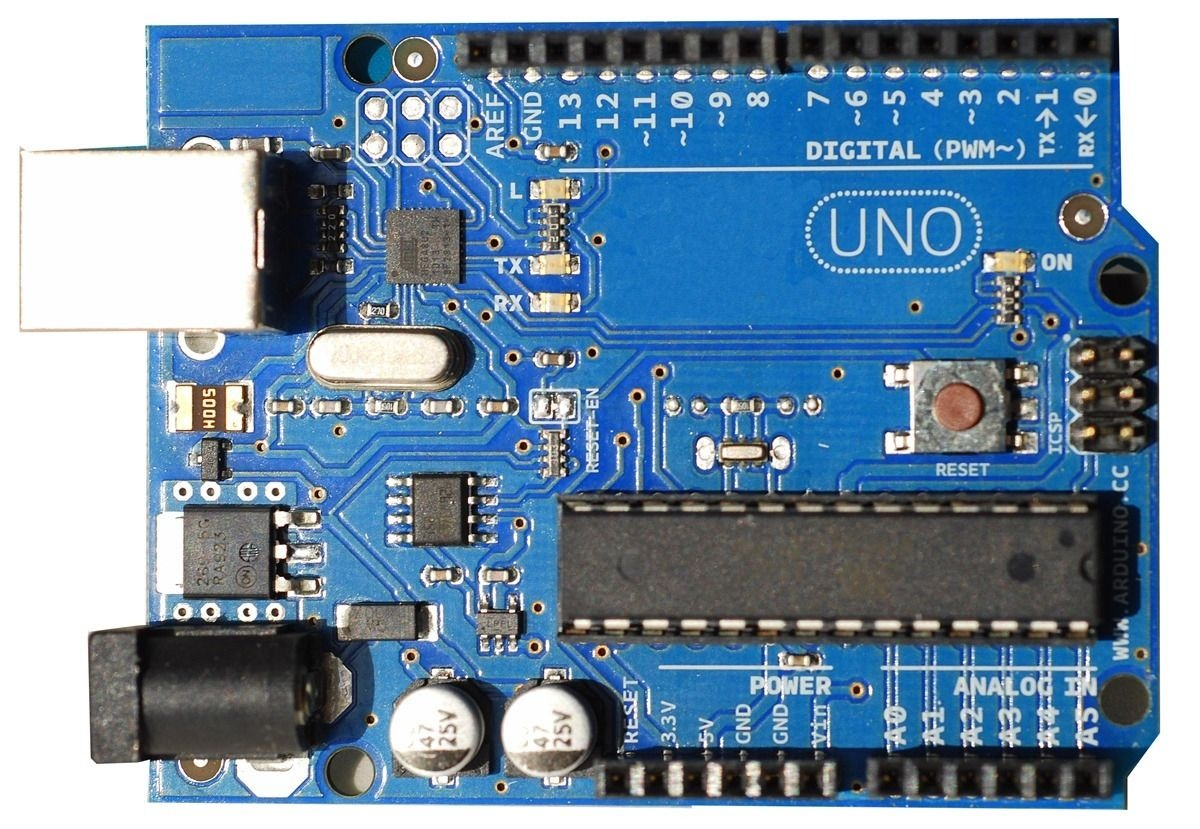
Arduino UNO R3 Compatible Microcontroller Board - ATmega328P Chip with USB Cable for DIY Electronics and Programming
plus AED 20 delivery · free over AED 100
- UAE-wide delivery, 1–3 working days · AED 20 · free on orders AED 100+
- Orders dispatch on Mon – Fri.
- 7-day returns on unopened items
- SKU
- DIY-355
- Category
- Arduino & Compatible
- Brand / MPN
- Generic
- Min. order
- 1 pc
- Barcode
- DKU-000408
Overview The Arduino UNO R3 Compatible Microcontroller Board with USB Cable is a foundational tool designed for makers, hobbyists, students, and professional engineers entering the world of physical computing.
Read the full description ↓Complete the build
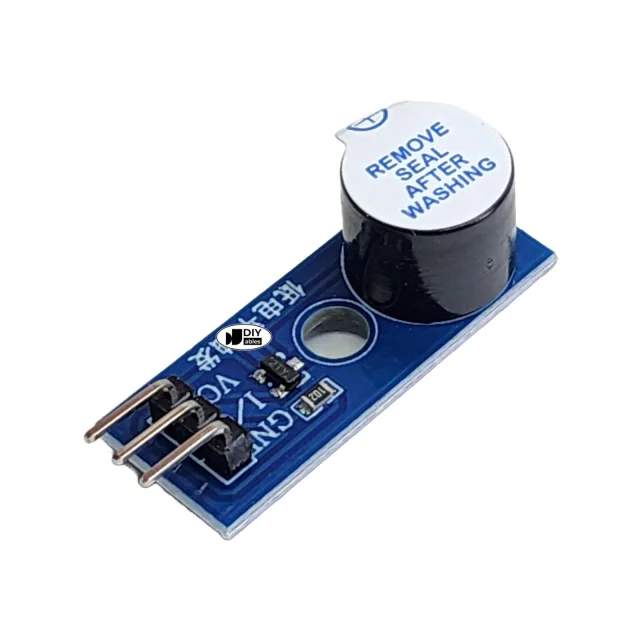
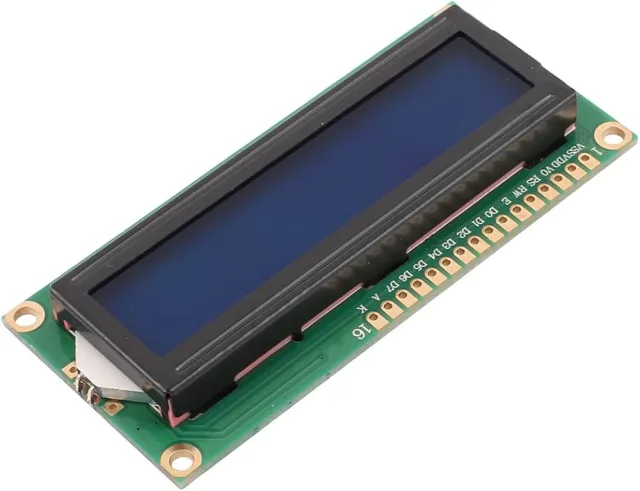
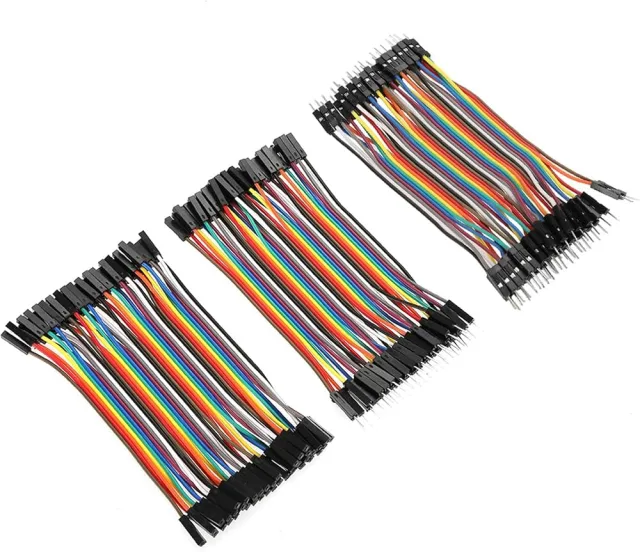
The parts this one is wired with in our kits — have them on the bench before you start.

 In Stock
1x Arduino UNO R3 Compatible Board, 1x USB Cable
Description
Overview
The Arduino UNO R3 Compatible Microcontroller Board with USB Cable is a foundational tool designed for makers, hobbyists, students, and professional engineers entering the world of physical computing. Built around the robust ATmega328P microcontroller, this generic version provides identical layout, pinouts, and functional capabilities as the official hardware platform while offering an accessible entry point for custom electronics prototyping. Whether you are building an automated garden monitoring system, constructing a line-following robot, or learning the fundamentals of C/C++ programming for hardware, this microcontroller board delivers the stability, versatility, and processing power required to bring your creative concepts to life. Fully supported by the open-source Arduino Integrated Development Environment (IDE), the board allows users to upload sketches effortlessly using the included USB cable. Its standard form factor ensures compatibility with a vast ecosystem of shields, sensors, actuators, and jumper wires, making it an indispensable addition to any electronics workbench.
Technical Details
At the heart of the board lies the ATmega328P 8-bit AVR RISC-based microcontroller. It operates at a clock speed of 16 MHz, providing sufficient processing speed for handling complex sensor arrays, serial communications, and real-time control logic. The board provides 32 KB of flash memory (with 0.5 KB utilized by the bootloader), 2 KB of SRAM, and 1 KB of EEPROM for non-volatile data storage. Communication with computers and other devices is facilitated via a USB-to-serial converter interface (varies by module revision), which handles USB communication and allows the board to appear as a virtual COM port on Windows, macOS, and Linux operating systems. Power can be supplied directly through the USB connection or via an onboard barrel jack that accepts external DC power supplies ranging from 7V to 12V. An onboard voltage regulator steps down the input voltage to provide stable 5V and 3.3V rails for powering peripheral modules and sensors.
Specifications
Microcontroller: ATmega328P
Operating Voltage: 5 V
Input Voltage Recommended: 7
- 12 V
Input Voltage Limits: 6
- 20 V
Digital I/O Pins: 14 total, with 6 providing PWM output
Analog Input Pins: 6
DC Current per I/O Pin: 20 mA
DC Current for 3.3V Pin: 50 mA
Flash Memory: 32 KB (ATmega328P) of which 0.5 KB used by bootloader
SRAM: 2 KB (ATmega328P)
EEPROM: 1 KB (ATmega328P)
Clock Speed: 16 MHz
LED_BUILTIN: 13
Dimensions: 68.6 mm x 53.4 mm
Weight: Varies by module revision
Applications
This compatible development board is exceptionally versatile and suited for a wide array of DIY electronics and engineering applications. It serves as the primary processing brain for educational STEM workshops, teaching students the fundamentals of programming, circuit design, and logic control. In robotics, it interfaces seamlessly with motor drivers, ultrasonic distance sensors, infrared receivers, and servo motors to build autonomous navigation systems. For Internet of Things (IoT) prototypes, it can be paired with Wi-Fi or Bluetooth expansion shields to transmit sensor data to cloud servers. Other common use cases include home automation projects involving relay control, digital clock building, interactive art installations, environmental data logging, and custom MIDI controllers.
Integration Notes
To begin using the board, download and install the official Arduino IDE from the web. Connect the board to your computer using the provided USB cable. Open the IDE, navigate to Tools, select Board, and choose Arduino Uno. Next, select the correct COM port corresponding to your connected device under the Tools menu. Test your setup by loading the classic Blink example sketch from File > Examples > 01.Basics > Blink, and click the Upload button. Ensure that external power sources connected to the DC barrel jack do not exceed the 20V maximum limit to prevent permanent damage to the onboard voltage regulator. When wiring high-current components such as DC motors or relay modules, always power them from an independent external power supply while sharing a common ground connection with the development board to protect the microcontroller pins.
Included Components
1x Arduino UNO R3 Compatible Board, 1x USB Cable
Specifications
No reviews yet · be the first
Sign in to review a product you have bought - or use the review link in your order email, which needs no account and marks your review as a verified purchase.
Related components
%22%2F%3E%3Cellipse%20cx%3D%2228%22%20cy%3D%2224%22%20rx%3D%2226%22%20ry%3D%2214%22%20fill%3D%22rgba(255%2C255%2C255%2C.18)%22%2F%3E%3Crect%20x%3D%2222%22%20y%3D%2228%22%20width%3D%2256%22%20height%3D%2250%22%20rx%3D%2212%22%20fill%3D%22url(%23b)%22%20filter%3D%22url(%23s)%22%2F%3E%3Cellipse%20cx%3D%2234%22%20cy%3D%2236%22%20rx%3D%2212%22%20ry%3D%226%22%20fill%3D%22rgba(255%2C255%2C255%2C.28)%22%20transform%3D%22rotate(-18%2034%2036)%22%2F%3E%3Crect%20x%3D%2234%22%20y%3D%2215%22%20width%3D%225%22%20height%3D%2214%22%20rx%3D%222.5%22%20fill%3D%22%236ee7b7%22%2F%3E%3Crect%20x%3D%2261%22%20y%3D%2215%22%20width%3D%225%22%20height%3D%2214%22%20rx%3D%222.5%22%20fill%3D%22%236ee7b7%22%2F%3E%3Ccircle%20cx%3D%2236.5%22%20cy%3D%2214%22%20r%3D%224%22%20fill%3D%22%23a7f3d0%22%2F%3E%3Ccircle%20cx%3D%2263.5%22%20cy%3D%2214%22%20r%3D%224%22%20fill%3D%22%23a7f3d0%22%2F%3E%3Crect%20x%3D%2228%22%20y%3D%2242%22%20width%3D%2244%22%20height%3D%2222%22%20rx%3D%226%22%20fill%3D%22%23022c22%22%2F%3E%3Cline%20x1%3D%2228%22%20y1%3D%2250%22%20x2%3D%2272%22%20y2%3D%2250%22%20stroke%3D%22%2334d399%22%20stroke-width%3D%22.8%22%20stroke-opacity%3D%22.5%22%2F%3E%3Cline%20x1%3D%2228%22%20y1%3D%2257%22%20x2%3D%2272%22%20y2%3D%2257%22%20stroke%3D%22%2334d399%22%20stroke-width%3D%22.8%22%20stroke-opacity%3D%22.5%22%2F%3E%3Cline%20x1%3D%2244%22%20y1%3D%2242%22%20x2%3D%2244%22%20y2%3D%2264%22%20stroke%3D%22%2334d399%22%20stroke-width%3D%22.8%22%20stroke-opacity%3D%22.5%22%2F%3E%3Cline%20x1%3D%2256%22%20y1%3D%2242%22%20x2%3D%2256%22%20y2%3D%2264%22%20stroke%3D%22%2334d399%22%20stroke-width%3D%22.8%22%20stroke-opacity%3D%22.5%22%2F%3E%3Ccircle%20cx%3D%2238%22%20cy%3D%2252%22%20r%3D%226%22%20fill%3D%22%2334d399%22%20opacity%3D%22.9%22%2F%3E%3Ccircle%20cx%3D%2262%22%20cy%3D%2252%22%20r%3D%226%22%20fill%3D%22%2334d399%22%20opacity%3D%22.9%22%2F%3E%3Ccircle%20cx%3D%2236.5%22%20cy%3D%2250.5%22%20r%3D%222%22%20fill%3D%22white%22%2F%3E%3Ccircle%20cx%3D%2260.5%22%20cy%3D%2250.5%22%20r%3D%222%22%20fill%3D%22white%22%2F%3E%3Cpath%20d%3D%22M36%2068%20Q50%2076%2064%2068%22%20fill%3D%22none%22%20stroke%3D%22%23022c22%22%20stroke-width%3D%222.5%22%20stroke-linecap%3D%22round%22%2F%3E%3C%2Fsvg%3E)