Lesson 9: Everything Together - Distance Lab
Run everything at once - LEDs, beeper, median filter and OLED - and control it with typed commands. Then run it from a 9V battery.
Before you start
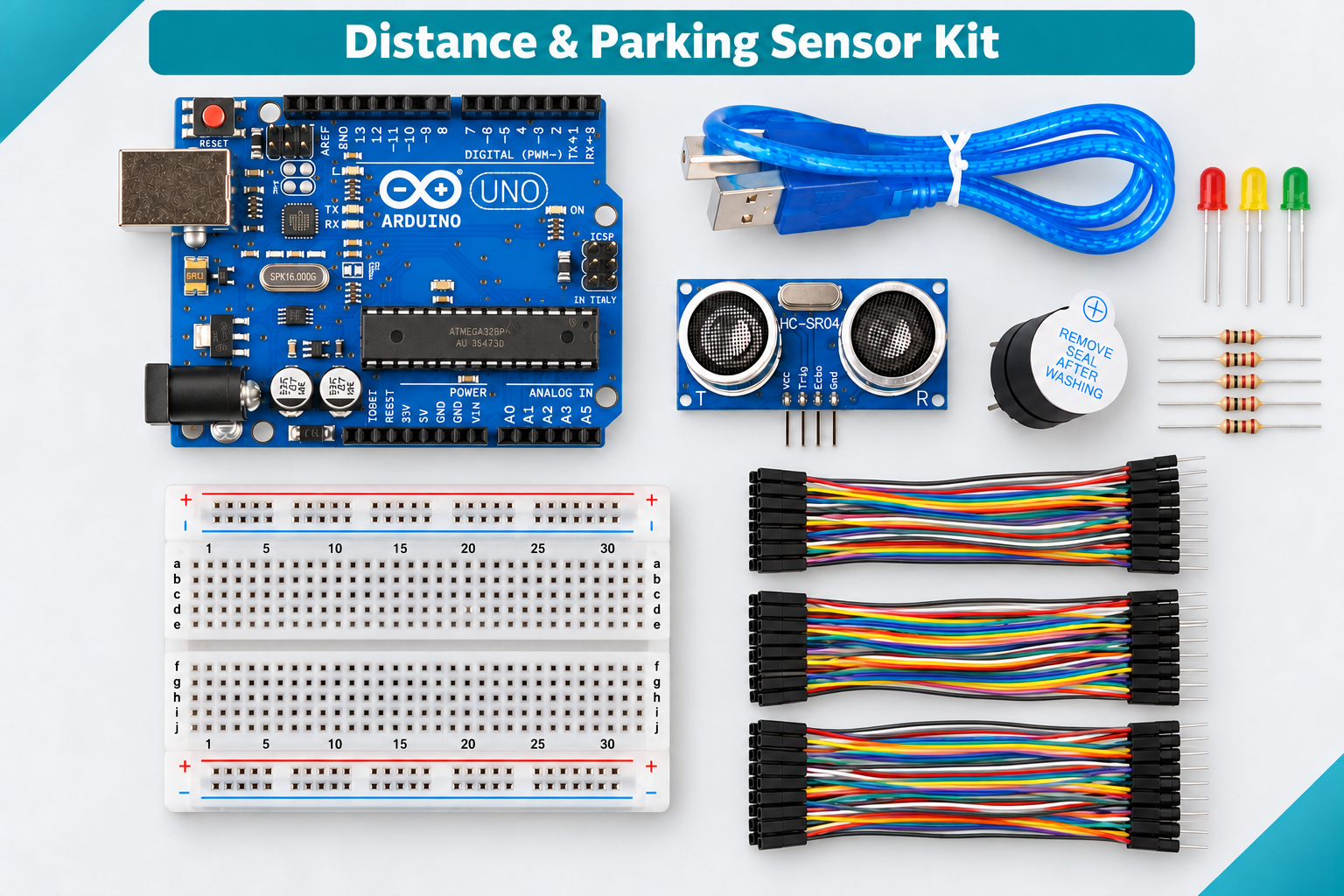
Exact parts
| Part | How many |
|---|---|
| Everything from Lessons 1-8 | all |
| 9V battery holder with DC plug | 1 |
| 9V battery (yours, optional) | 1 |
Not in the box
- Optional: a 9V battery for the battery demo (not in the box)
What you build and learn
- How a bigger program is built from the pieces you have learned
- Typed commands: help, status, test, sound off, pause
- A median filter in a real project
- Running the UNO without a computer
This is DistanceParkingLab.ino: Lessons 2, 3, 7 and 8 in one sketch. The same zones, beeps and pins, plus a median of the last 5 readings.
Nothing waits with delay() in the main loop. Measuring (every 80 ms), the LEDs, the buzzer, the OLED and the Serial line each check millis() and do their job when it is time.
Three missed echoes in a row switch it to NO_ECHO: yellow blinks, the buzzer goes silent and the OLED says NO ECHO. One missed ping is not enough.
The OLED is optional: if none answers at 0x3C or 0x3D, everything else still works.
New words
- Command
- A word you type in the Serial Monitor that tells the sketch to do something, such as test.
- Diagnostic mode
- A setting that fakes distances so you can test the lights and beeper without the sensor.
- DC jack
- The round power socket on the UNO. It takes 7-12V from a battery or adapter.
What this project uses
Every item below is in the kit. Not in the box: Optional: a 9V battery for the battery demo (not in the box).

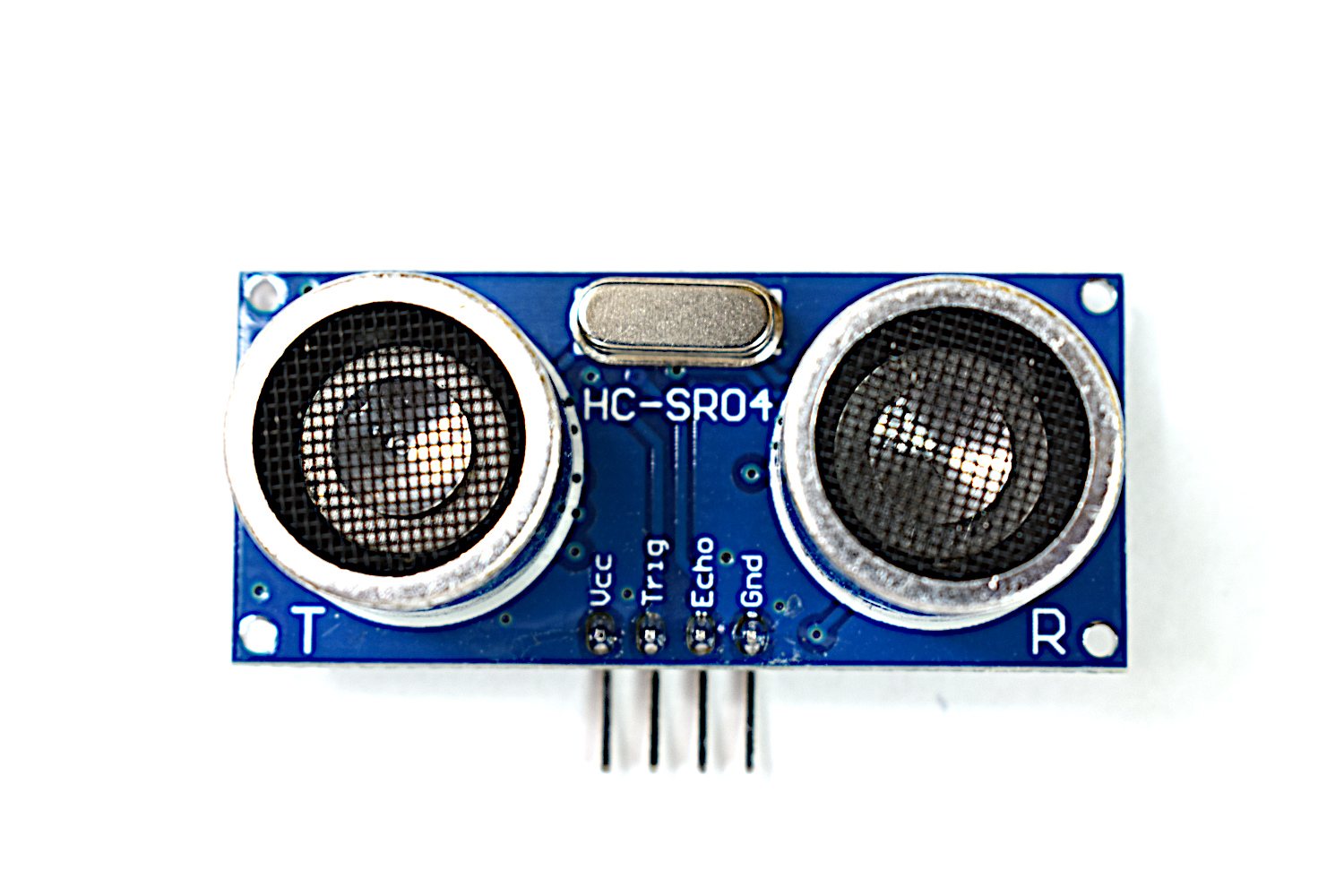
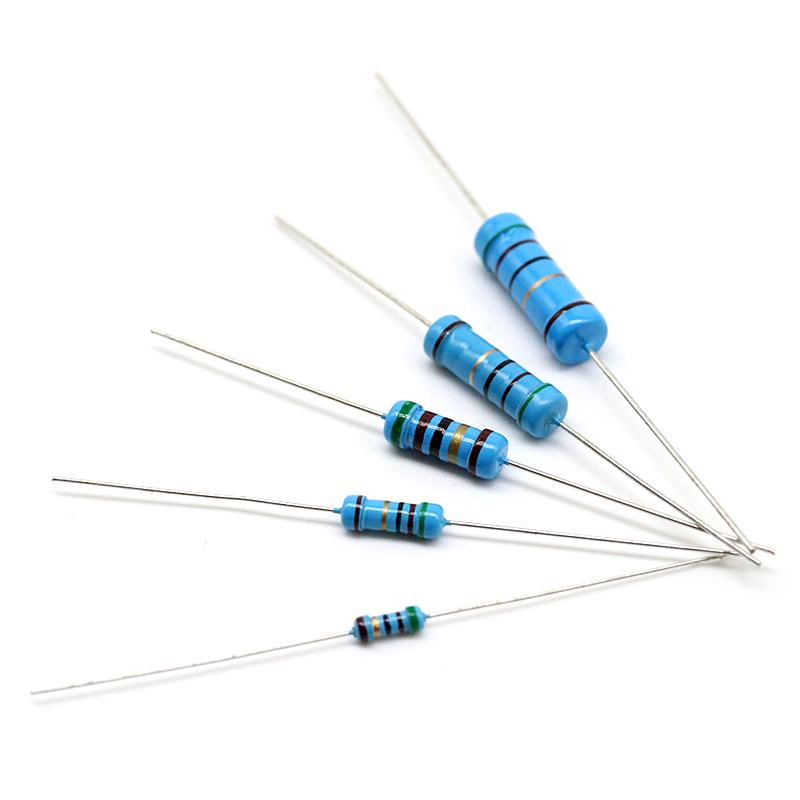
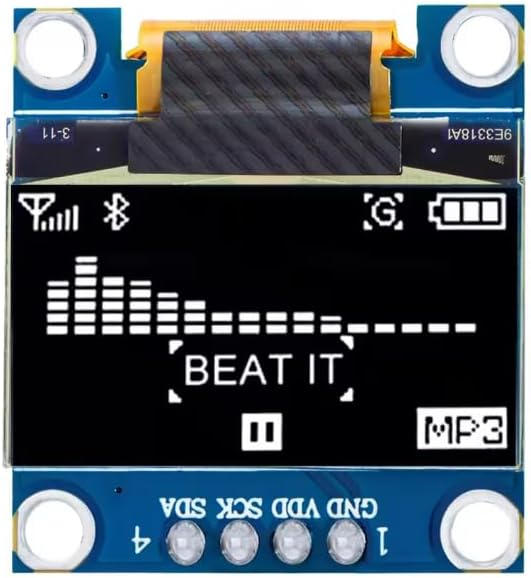
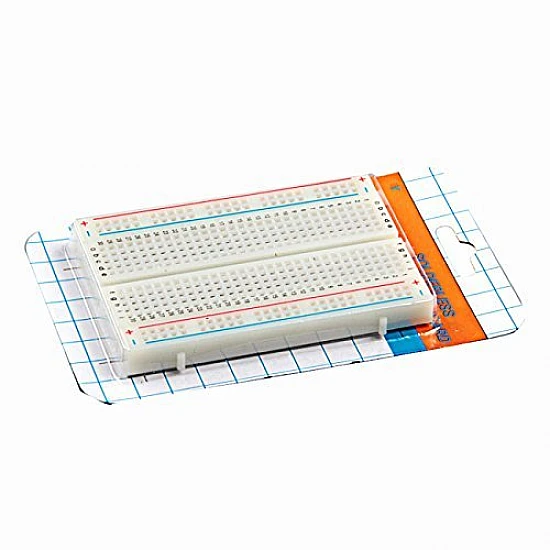
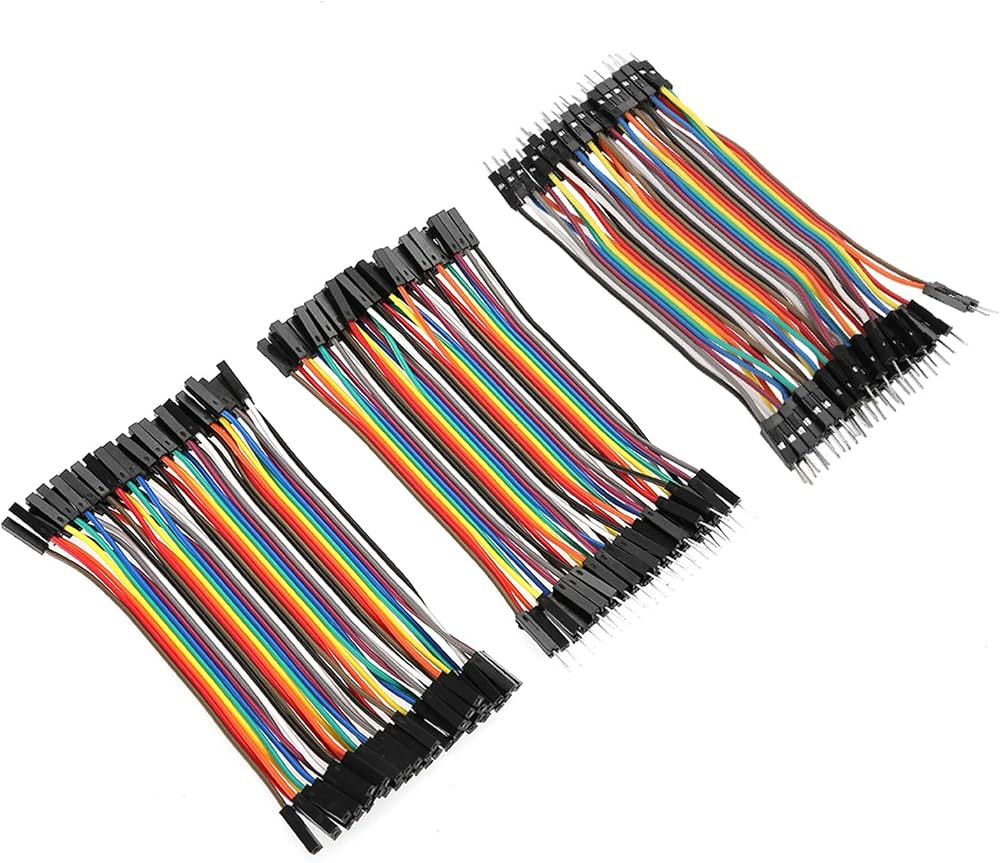
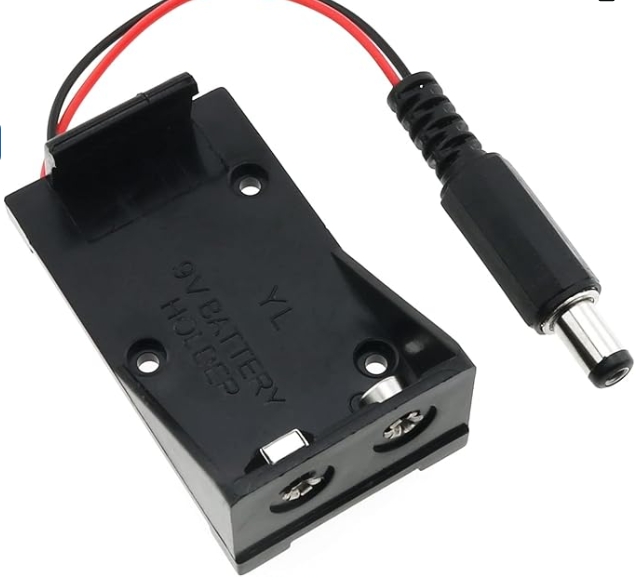
Arduino Ultrasonic Distance & Parking Learning Kit
All 9 parts in one box, with this project and 8 more to build from them.
Need only these parts? Order them loose · from AED 118.71
One of each part. Packs (resistor assortment, jumper wires) already hold more than a single build needs. active-buzzer module, red/yellow/green LEDs: included in the kit, ask us for it loose. Delivery is AED 20, free on orders AED 100+.
Connections
Unplug USB before you change any wire. Pin names are the labels printed on the board.
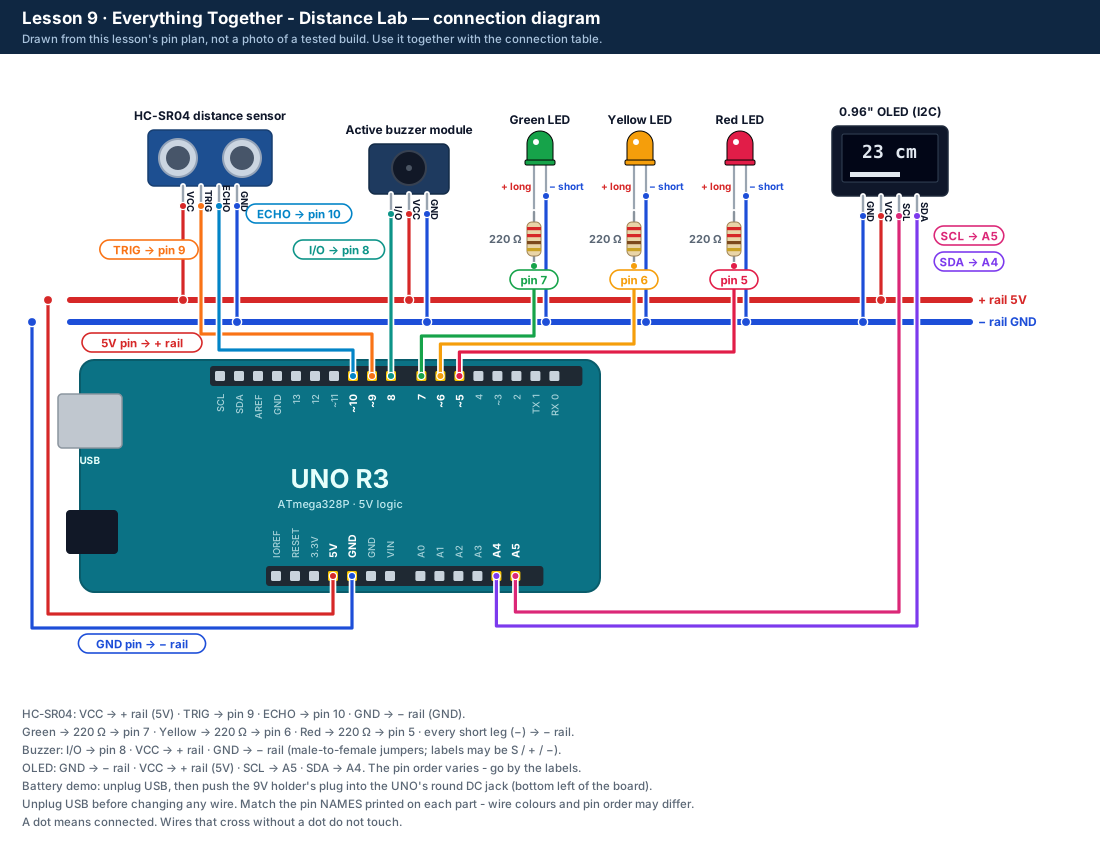
| Part / pin | Connect to | Note |
|---|---|---|
| Red / yellow / green LED (each through 220 Ω) | UNO pins 5 / 6 / 7 | From Lesson 2 |
| Buzzer I/O | UNO pin 8 | From Lesson 3 |
| HC-SR04 TRIG / ECHO | UNO pins 9 / 10 | From Lesson 1 |
| OLED SDA / SCL | UNO A4 / A5 | From Lesson 8 - optional |
| All VCC and + pins | + rail (5V) | |
| All GND and − pins, LED short legs | − rail (GND) | |
| 9V battery holder plug | UNO DC jack (round socket) | Battery demo only - unplug USB first |
Step by step
One thing at a time. Tick nothing off until it matches the diagram.
- Check all the wiring from Lessons 1-8 is still in place: compare with the diagram.Watch out: Always unplug the USB cable before you add, move or remove a wire.
- Plug in USB, copy the Lesson 9 code into the IDE and upload it. It needs the libraries from Lesson 8.
- Open the Serial Monitor at 9600 baud with "New Line". Type help and press Enter.
- Type test: red, yellow and green light in turn and the buzzer beeps once.Watch out: Keep the buzzer away from your ears.
- Move a book from 60 cm to 5 cm and back. Check the LEDs, beeps, OLED and Serial lines all agree.
- Type sound off: the LEDs still work but the buzzer stays silent. Type sound on to bring it back.
- Battery demo (optional): unplug the USB cable, put a 9V battery in the holder, then push the holder's plug into the UNO's round DC jack. It runs on its own.Watch out: Unplug the battery before you plug USB back in, and before changing any wire. Never connect the battery wires anywhere else.
Sketch for this project
Written for the board in the kit. Copy it into the Arduino IDE; change the pin numbers if you wire it differently.
/*
  DIY KIT - Arduino Ultrasonic Distance & Parking Learning Kit
  Lesson 9 of 9: Everything Together - Distance Lab  (DistanceParkingLab.ino)

  LIBRARIES: the same as Lesson 8 (Adafruit SSD1306, with GFX and BusIO).
  They are needed to compile even if no OLED is connected.

  WIRING: everything from Lessons 1-8.
    Red LED pin 5, yellow pin 6, green pin 7 (each through 220 ohm to GND)
    Buzzer I/O pin 8, HC-SR04 TRIG pin 9 and ECHO pin 10
    OLED (optional) SDA A4, SCL A5, VCC 5V, GND

  WHAT SHOULD HAPPEN
    Green 50 cm+ (silent), yellow 20-49 cm (silent), red 10-19 cm (slow beeps),
    red under 10 cm (fast beeps). No echo: yellow blinks, buzzer silent.
    The OLED, if fitted, shows the distance, zone and sound setting.
    Serial Monitor at 9600 baud with "New Line": type help for the commands.
    A learning model only - never use it as a vehicle or safety device.
*/

#include <Arduino.h>
#include <Wire.h>
#include <Adafruit_GFX.h>
#include <Adafruit_SSD1306.h>

// Set to true to test the LEDs, buzzer and OLED without the sensor:
// the distance then steps through 80, 35, 15, 6 cm and "no echo".
#ifndef DISTANCE_DIAGNOSTIC
#define DISTANCE_DIAGNOSTIC false
#endif

// The kit's pin plan - the same in every lesson.
constexpr uint8_t PIN_LED_RED = 5;
constexpr uint8_t PIN_LED_YELLOW = 6;
constexpr uint8_t PIN_LED_GREEN = 7;
constexpr uint8_t PIN_BUZZER = 8;
constexpr uint8_t PIN_TRIG = 9;
constexpr uint8_t PIN_ECHO = 10;

constexpr uint32_t SERIAL_BAUD = 9600;
constexpr uint16_t MEASURE_PERIOD_MS = 80;    // a new ping every 80 ms
constexpr uint16_t REPORT_PERIOD_MS = 250;    // a Serial line 4 times a second
constexpr uint16_t DISPLAY_PERIOD_MS = 250;
constexpr uint32_t ECHO_TIMEOUT_US = 30000UL;
constexpr uint16_t MIN_VALID_CM = 2;
constexpr uint16_t MAX_VALID_CM = 400;
// Zones (the same as Lessons 2 and 3): under 10 critical, under 20 near,
// under 50 caution, 50 or more clear.
constexpr uint16_t CRITICAL_CM = 10;
constexpr uint16_t NEAR_CM = 20;
constexpr uint16_t CLEAR_CM = 50;
constexpr uint8_t FILTER_SIZE = 5;            // median of the last 5 readings (Lesson 7)

// Most buzzer modules beep when the pin is HIGH. If yours beeps in the gaps
// or all the time, change false to true.
constexpr bool BUZZER_ACTIVE_LOW = false;

constexpr uint8_t OLED_WIDTH = 128;
constexpr uint8_t OLED_HEIGHT = 64;
constexpr int8_t OLED_RESET = -1;

enum class Zone : uint8_t {
  Unknown,
  Clear,
  Caution,
  Near,
  Critical
};

Adafruit_SSD1306 display(OLED_WIDTH, OLED_HEIGHT, &Wire, OLED_RESET);

bool oledReady = false;
uint8_t oledAddress = 0;
bool running = true;
bool soundEnabled = true;
bool buzzerState = false;

uint16_t samples[FILTER_SIZE] = {0, 0, 0, 0, 0};
uint8_t sampleCount = 0;
uint8_t sampleIndex = 0;
uint8_t invalidStreak = 0;
uint16_t latestRawCm = 0;
uint16_t filteredCm = 0;
bool measurementValid = false;
Zone currentZone = Zone::Unknown;

uint32_t nextMeasureMs = 0;
uint32_t nextReportMs = 0;
uint32_t nextDisplayMs = 0;
uint32_t nextBuzzerChangeMs = 0;

char commandBuffer[32];
uint8_t commandLength = 0;

const __FlashStringHelper *zoneName(Zone zone) {
  switch (zone) {
    case Zone::Clear: return F("CLEAR");
    case Zone::Caution: return F("CAUTION");
    case Zone::Near: return F("NEAR");
    case Zone::Critical: return F("CRITICAL");
    default: return F("NO_ECHO");
  }
}

bool i2cResponds(uint8_t address) {
  Wire.beginTransmission(address);
  return Wire.endTransmission() == 0;
}

void scanI2c() {
  uint8_t count = 0;
  Serial.println(F("I2C_SCAN_BEGIN"));
  for (uint8_t address = 1; address < 127; ++address) {
    if (i2cResponds(address)) {
      Serial.print(F("I2C_DEVICE,0x"));
      if (address < 16) Serial.print('0');
      Serial.println(address, HEX);
      ++count;
    }
  }
  Serial.print(F("I2C_SCAN_END,count="));
  Serial.println(count);
}

void initDisplay() {
  if (i2cResponds(0x3C)) oledAddress = 0x3C;
  else if (i2cResponds(0x3D)) oledAddress = 0x3D;
  else return;

  oledReady = display.begin(SSD1306_SWITCHCAPVCC, oledAddress);
  if (!oledReady) return;

  display.clearDisplay();
  display.setTextColor(SSD1306_WHITE);
  display.setTextSize(1);
  display.setCursor(0, 0);
  display.println(F("Distance Learning Lab"));
  display.println(F("NOT FOR VEHICLE SAFETY"));
  display.println(F("Serial Monitor: 9600"));
  display.display();
}

uint16_t diagnosticDistanceCm() {
  const uint8_t phase = (millis() / 3000UL) % 5;
  if (phase == 0) return 80;
  if (phase == 1) return 35;
  if (phase == 2) return 15;
  if (phase == 3) return 6;
  return 0;
}

uint16_t readDistanceCm() {
  if (DISTANCE_DIAGNOSTIC) return diagnosticDistanceCm();

  digitalWrite(PIN_TRIG, LOW);
  delayMicroseconds(2);
  digitalWrite(PIN_TRIG, HIGH);
  delayMicroseconds(10);
  digitalWrite(PIN_TRIG, LOW);

  const uint32_t durationUs = pulseIn(PIN_ECHO, HIGH, ECHO_TIMEOUT_US);
  if (durationUs == 0) return 0;

  // Approximation at room temperature: round-trip microseconds divided by 58.
  const uint16_t distanceCm = static_cast<uint16_t>(durationUs / 58UL);
  if (distanceCm < MIN_VALID_CM || distanceCm > MAX_VALID_CM) return 0;
  return distanceCm;
}

uint16_t medianSample() {
  uint16_t sorted[FILTER_SIZE];
  for (uint8_t i = 0; i < sampleCount; ++i) sorted[i] = samples[i];

  for (uint8_t i = 1; i < sampleCount; ++i) {
    const uint16_t value = sorted[i];
    int8_t j = static_cast<int8_t>(i) - 1;
    while (j >= 0 && sorted[j] > value) {
      sorted[j + 1] = sorted[j];
      --j;
    }
    sorted[j + 1] = value;
  }
  return sorted[sampleCount / 2];
}

Zone classifyDistance(uint16_t distanceCm) {
  if (!measurementValid) return Zone::Unknown;
  if (distanceCm < CRITICAL_CM) return Zone::Critical;
  if (distanceCm < NEAR_CM) return Zone::Near;
  if (distanceCm < CLEAR_CM) return Zone::Caution;
  return Zone::Clear;
}

void updateMeasurement() {
  latestRawCm = readDistanceCm();
  if (latestRawCm == 0) {
    if (invalidStreak < 255) ++invalidStreak;
    if (invalidStreak >= 3) {
      measurementValid = false;
      currentZone = Zone::Unknown;
    }
    return;
  }

  invalidStreak = 0;
  samples[sampleIndex] = latestRawCm;
  sampleIndex = (sampleIndex + 1) % FILTER_SIZE;
  if (sampleCount < FILTER_SIZE) ++sampleCount;
  filteredCm = medianSample();
  measurementValid = true;
  currentZone = classifyDistance(filteredCm);
}

void setBuzzer(bool on) {
  buzzerState = on && soundEnabled && running;
  if (BUZZER_ACTIVE_LOW) digitalWrite(PIN_BUZZER, buzzerState ? LOW : HIGH);
  else                   digitalWrite(PIN_BUZZER, buzzerState ? HIGH : LOW);
}

void updateLeds(uint32_t nowMs) {
  bool red = false;
  bool yellow = false;
  bool green = false;

  if (running) {
    if (currentZone == Zone::Critical || currentZone == Zone::Near) red = true;
    else if (currentZone == Zone::Caution) yellow = true;
    else if (currentZone == Zone::Clear) green = true;
    else {
      const uint32_t halfSeconds = nowMs / 500UL;   // no echo: blink yellow
      yellow = (halfSeconds % 2) == 0;
    }
  }

  digitalWrite(PIN_LED_RED, red ? HIGH : LOW);
  digitalWrite(PIN_LED_YELLOW, yellow ? HIGH : LOW);
  digitalWrite(PIN_LED_GREEN, green ? HIGH : LOW);
}

void updateBuzzer(uint32_t nowMs) {
  if (!running || !soundEnabled || !measurementValid ||
      (currentZone != Zone::Near && currentZone != Zone::Critical)) {
    setBuzzer(false);
    nextBuzzerChangeMs = nowMs;
    return;
  }

  if (static_cast<int32_t>(nowMs - nextBuzzerChangeMs) < 0) return;
  setBuzzer(!buzzerState);

  if (currentZone == Zone::Critical) {
    nextBuzzerChangeMs = nowMs + 100;                       // fast beeps: 100 ms on, 100 ms off
  } else {
    nextBuzzerChangeMs = nowMs + (buzzerState ? 120 : 380); // slow beeps: 120 ms on, 380 ms off
  }
}

void printStatus() {
  Serial.print(F("STATUS,running="));
  Serial.print(running ? 1 : 0);
  Serial.print(F(",sound="));
  Serial.print(soundEnabled ? 1 : 0);
  Serial.print(F(",diagnostic="));
  Serial.print(DISTANCE_DIAGNOSTIC ? 1 : 0);
  Serial.print(F(",oled="));
  Serial.print(oledReady ? 1 : 0);
  Serial.print(F(",oled_addr="));
  if (oledAddress == 0) Serial.print(F("NA"));
  else {
    Serial.print(F("0x"));
    Serial.print(oledAddress, HEX);
  }
  Serial.print(F(",trig=D"));
  Serial.print(PIN_TRIG);
  Serial.print(F(",echo=D"));
  Serial.print(PIN_ECHO);
  Serial.print(F(",buzzer=D"));
  Serial.println(PIN_BUZZER);
}

void printHelp() {
  Serial.println(F("Commands:"));
  Serial.println(F("  help     - show this list"));
  Serial.println(F("  status   - report mode, OLED, and pins"));
  Serial.println(F("  scan     - scan the optional OLED I2C bus"));
  Serial.println(F("  run      - start measurements and outputs"));
  Serial.println(F("  pause    - stop measurements and turn outputs off"));
  Serial.println(F("  sound on - enable the active-buzzer cadence"));
  Serial.println(F("  sound off- mute the buzzer; LEDs still operate"));
  Serial.println(F("  test     - brief LED and buzzer output test"));
}

void outputTest() {
  const bool previousRunning = running;
  running = false;
  setBuzzer(false);
  digitalWrite(PIN_LED_RED, HIGH);
  delay(250);
  digitalWrite(PIN_LED_RED, LOW);
  digitalWrite(PIN_LED_YELLOW, HIGH);
  delay(250);
  digitalWrite(PIN_LED_YELLOW, LOW);
  digitalWrite(PIN_LED_GREEN, HIGH);
  delay(250);
  digitalWrite(PIN_LED_GREEN, LOW);
  if (soundEnabled) {
    running = true;
    setBuzzer(true);
    delay(150);
    setBuzzer(false);
  }
  running = previousRunning;
  Serial.println(F("OUTPUT_TEST_COMPLETE"));
}

void handleCommand(char *command) {
  for (char *p = command; *p; ++p) {
    if (*p >= 'A' && *p <= 'Z') *p = *p - 'A' + 'a';
  }

  if (strcmp(command, "help") == 0) printHelp();
  else if (strcmp(command, "status") == 0) printStatus();
  else if (strcmp(command, "scan") == 0) scanI2c();
  else if (strcmp(command, "run") == 0) {
    running = true;
    Serial.println(F("MODE,RUN"));
  } else if (strcmp(command, "pause") == 0) {
    running = false;
    setBuzzer(false);
    Serial.println(F("MODE,PAUSED"));
  } else if (strcmp(command, "sound on") == 0) {
    soundEnabled = true;
    Serial.println(F("SOUND,ON"));
  } else if (strcmp(command, "sound off") == 0) {
    soundEnabled = false;
    setBuzzer(false);
    Serial.println(F("SOUND,OFF"));
  } else if (strcmp(command, "test") == 0) {
    outputTest();
  } else if (command[0] != '\0') {
    Serial.print(F("UNKNOWN_COMMAND,"));
    Serial.println(command);
    printHelp();
  }
}

void serviceSerial() {
  while (Serial.available() > 0) {
    const char incoming = static_cast<char>(Serial.read());
    if (incoming == '\n' || incoming == '\r') {
      if (commandLength > 0) {
        commandBuffer[commandLength] = '\0';
        handleCommand(commandBuffer);
        commandLength = 0;
      }
    } else if (commandLength < sizeof(commandBuffer) - 1) {
      commandBuffer[commandLength++] = incoming;
    }
  }
}

void reportMeasurement() {
  Serial.print(F("DISTANCE,raw_cm="));
  if (latestRawCm == 0) Serial.print(F("NA"));
  else Serial.print(latestRawCm);
  Serial.print(F(",median_cm="));
  if (!measurementValid) Serial.print(F("NA"));
  else Serial.print(filteredCm);
  Serial.print(F(",zone="));
  Serial.print(zoneName(currentZone));
  Serial.print(F(",buzzer="));
  Serial.println(buzzerState ? 1 : 0);
}

void updateDisplay(uint32_t nowMs) {
  if (!oledReady || static_cast<int32_t>(nowMs - nextDisplayMs) < 0) return;
  nextDisplayMs = nowMs + DISPLAY_PERIOD_MS;

  display.clearDisplay();
  display.setTextColor(SSD1306_WHITE);
  display.setTextSize(1);
  display.setCursor(0, 0);
  display.println(F("DISTANCE LEARNING LAB"));
  display.println(F("NOT FOR VEHICLE SAFETY"));

  if (!running) {
    display.println(F("PAUSED"));
  } else if (!measurementValid) {
    display.println(F("Distance: NO ECHO"));
    display.println(F("Check alignment/range"));
  } else {
    display.print(F("Distance: "));
    display.print(filteredCm);
    display.println(F(" cm"));
    display.print(F("Zone: "));
    display.println(zoneName(currentZone));
  }
  display.print(F("Sound: "));
  display.println(soundEnabled ? F("ON") : F("MUTED"));
  display.display();
}

void setup() {
  pinMode(PIN_LED_RED, OUTPUT);
  pinMode(PIN_LED_YELLOW, OUTPUT);
  pinMode(PIN_LED_GREEN, OUTPUT);
  pinMode(PIN_BUZZER, OUTPUT);
  pinMode(PIN_TRIG, OUTPUT);
  pinMode(PIN_ECHO, INPUT);
  digitalWrite(PIN_TRIG, LOW);
  setBuzzer(false);

  Serial.begin(SERIAL_BAUD);
  Wire.begin();
  initDisplay();

  Serial.println(F("Lesson 9: Distance Lab (DistanceParkingLab.ino)"));
  Serial.println(F("LEARNING DEMONSTRATION ONLY - NOT A VEHICLE OR INDUSTRIAL SAFETY DEVICE"));
  Serial.println(F("Distances are uncalibrated and depend on target angle, surface, air temperature, and surroundings."));
  Serial.println(F("DATA_HEADER,raw_cm,median_cm,zone,buzzer"));
  printHelp();
  printStatus();
}

void loop() {
  serviceSerial();
  const uint32_t nowMs = millis();

  if (running && static_cast<int32_t>(nowMs - nextMeasureMs) >= 0) {
    nextMeasureMs = nowMs + MEASURE_PERIOD_MS;
    updateMeasurement();
  }

  updateLeds(nowMs);
  updateBuzzer(nowMs);
  updateDisplay(nowMs);

  if (running && static_cast<int32_t>(nowMs - nextReportMs) >= 0) {
    nextReportMs = nowMs + REPORT_PERIOD_MS;
    reportMeasurement();
  }
  delay(1);   // a short pause each time round
}Upload it
- Click Copy (or Download .ino and open the file).
- In the Arduino IDE choose File → New Sketch, select everything in it and paste.
- Check the bottom of the window says Arduino Uno and your port (Start here, step 5).
- Click Upload (the → arrow) and wait for Done uploading.
How the code works
| In the code | What it does |
|---|---|
| constexpr uint16_t CRITICAL_CM = 10; NEAR_CM = 20; CLEAR_CM = 50; | The same zones as Lessons 2 and 3, in one place. |
| updateMeasurement() | One ping; three misses in a row → NO_ECHO; otherwise the median of the last 5 (Lesson 7). |
| updateLeds(), updateBuzzer(), updateDisplay() | Each output on its own timer with millis(), so nothing blocks the others. |
| handleCommand() | Compares what you typed with help, status, scan, run, pause, sound on, sound off and test. |
| #define DISTANCE_DIAGNOSTIC false | Change to true to fake 80, 35, 15 and 6 cm and no echo - tests the outputs without the sensor. |
Change it and see
What you should see or hear
- Help text, then a STATUS line and a DISTANCE line 4 times a second.
- Green 50 cm+, yellow 20-49 cm (both silent), red with slow beeps 10-19 cm, red with fast beeps under 10 cm.
- No echo: yellow blinks, silent, NO_ECHO. The OLED (if fitted) shows distance, zone and Sound: ON or MUTED.
If it doesn't work
| Problem | What to check |
|---|---|
| Compile error about Adafruit_SSD1306.h | Install the libraries: Lesson 8, step 1. |
| Commands do nothing | Choose "New Line" at the bottom right of the Serial Monitor and check 9600 baud. |
| The OLED stays off but everything else works | That is allowed - the OLED is optional. Type status: oled=0 means it was not found. Check Lesson 8. |
| It works on USB but not on the battery | The battery may be flat. 9V batteries run down quickly - use a fresh one. |
| It beeps in the gaps, or all the time | Set BUZZER_ACTIVE_LOW to true and upload again (see Lesson 3). |
| It always says no echo | Unplug USB. Check VCC to the + rail, GND to the − rail, TRIG to pin 9 and ECHO to pin 10 - by the labels on the sensor, not their position. Point it at a big flat object 20-50 cm away. |
Small experiment
Type pause, then run. Then type scan: which address does the OLED answer on? Compare with Lesson 8.
Check what you learned
Why does it wait for three missed echoes before saying NO_ECHO?
One missed ping is common; three in a row means the distance really is unknown.
Why does nothing in loop() use delay()?
So the sensor, LEDs, buzzer and screen all keep working at the same time.
What must you do before plugging the battery in?
Unplug the USB cable.
Next
- Change the zones, beeps and screen to make it your own - every number is named at the top of the sketch.
- Ideas: a "too close for too long" warning, or a counter of how many times something came near.
Stuck?
Most problems are one wire in the wrong hole. Check these first:
- Unplug, then compare every wire with the lesson's diagram and table. One pin off is the most common problem.
- Sensor: are VCC, TRIG, ECHO and GND wired by their labels, with TRIG on 9 and ECHO on 10?
- LEDs: is the long leg on the resistor side?
- Is the − rail connected to a UNO GND pin, and the + rail to 5V?
- Serial Monitor: is it set to 9600 baud (and "New Line" when you type commands)?
- Upload problems: is Tools → Board set to Arduino Uno and Tools → Port to your UNO? (Start here, step 5.)
Open the troubleshooting table for this step →
Hi DIY KIT, I'm stuck on the Arduino Ultrasonic Distance & Parking Learning Kit.
Lesson: __
Step number: __
What should happen: __
What happens instead: __
Error message (copied exactly): __
I'll attach a photo of my wiring.
More from this kit
Lesson 3: Parking Beeper
Like a car's parking sensor on your desk: slow beeps under 20 cm and fast beeps under 10 cm, while the LEDs show the zone. A learning model only.
Lesson 1: Measure Distance with Sound
Wire the HC-SR04 and read distances in the Serial Monitor. Compare them with a ruler to see how accurate the sensor really is. Do Start here first.
Lesson 2: Traffic-Light Distance Indicator
Green, yellow and red LEDs show how close an object is: green 50 cm and more, yellow 20-49 cm, red under 20 cm. Yellow blinks when there is no echo.
%22%2F%3E%3Cellipse%20cx%3D%2228%22%20cy%3D%2224%22%20rx%3D%2226%22%20ry%3D%2214%22%20fill%3D%22rgba(255%2C255%2C255%2C.18)%22%2F%3E%3Crect%20x%3D%2222%22%20y%3D%2228%22%20width%3D%2256%22%20height%3D%2250%22%20rx%3D%2212%22%20fill%3D%22url(%23b)%22%20filter%3D%22url(%23s)%22%2F%3E%3Cellipse%20cx%3D%2234%22%20cy%3D%2236%22%20rx%3D%2212%22%20ry%3D%226%22%20fill%3D%22rgba(255%2C255%2C255%2C.28)%22%20transform%3D%22rotate(-18%2034%2036)%22%2F%3E%3Crect%20x%3D%2234%22%20y%3D%2215%22%20width%3D%225%22%20height%3D%2214%22%20rx%3D%222.5%22%20fill%3D%22%236ee7b7%22%2F%3E%3Crect%20x%3D%2261%22%20y%3D%2215%22%20width%3D%225%22%20height%3D%2214%22%20rx%3D%222.5%22%20fill%3D%22%236ee7b7%22%2F%3E%3Ccircle%20cx%3D%2236.5%22%20cy%3D%2214%22%20r%3D%224%22%20fill%3D%22%23a7f3d0%22%2F%3E%3Ccircle%20cx%3D%2263.5%22%20cy%3D%2214%22%20r%3D%224%22%20fill%3D%22%23a7f3d0%22%2F%3E%3Crect%20x%3D%2228%22%20y%3D%2242%22%20width%3D%2244%22%20height%3D%2222%22%20rx%3D%226%22%20fill%3D%22%23022c22%22%2F%3E%3Cline%20x1%3D%2228%22%20y1%3D%2250%22%20x2%3D%2272%22%20y2%3D%2250%22%20stroke%3D%22%2334d399%22%20stroke-width%3D%22.8%22%20stroke-opacity%3D%22.5%22%2F%3E%3Cline%20x1%3D%2228%22%20y1%3D%2257%22%20x2%3D%2272%22%20y2%3D%2257%22%20stroke%3D%22%2334d399%22%20stroke-width%3D%22.8%22%20stroke-opacity%3D%22.5%22%2F%3E%3Cline%20x1%3D%2244%22%20y1%3D%2242%22%20x2%3D%2244%22%20y2%3D%2264%22%20stroke%3D%22%2334d399%22%20stroke-width%3D%22.8%22%20stroke-opacity%3D%22.5%22%2F%3E%3Cline%20x1%3D%2256%22%20y1%3D%2242%22%20x2%3D%2256%22%20y2%3D%2264%22%20stroke%3D%22%2334d399%22%20stroke-width%3D%22.8%22%20stroke-opacity%3D%22.5%22%2F%3E%3Ccircle%20cx%3D%2238%22%20cy%3D%2252%22%20r%3D%226%22%20fill%3D%22%2334d399%22%20opacity%3D%22.9%22%2F%3E%3Ccircle%20cx%3D%2262%22%20cy%3D%2252%22%20r%3D%226%22%20fill%3D%22%2334d399%22%20opacity%3D%22.9%22%2F%3E%3Ccircle%20cx%3D%2236.5%22%20cy%3D%2250.5%22%20r%3D%222%22%20fill%3D%22white%22%2F%3E%3Ccircle%20cx%3D%2260.5%22%20cy%3D%2250.5%22%20r%3D%222%22%20fill%3D%22white%22%2F%3E%3Cpath%20d%3D%22M36%2068%20Q50%2076%2064%2068%22%20fill%3D%22none%22%20stroke%3D%22%23022c22%22%20stroke-width%3D%222.5%22%20stroke-linecap%3D%22round%22%2F%3E%3C%2Fsvg%3E)