Lesson 7: Smoothing Noisy Readings
Draw three lines on a live graph - raw, average and median - and see which filter handles a sudden spike best.
Before you start
Exact parts
| Part | How many |
|---|---|
| Wiring from Lesson 1 (the other parts can stay) | |
| A book, and your hand (yours) |
Not in the box
Nothing extra - just the kit and your computer.
What you build and learn
- What a filter does to noisy data
- Average (mean) versus median
- Arrays: keeping the last 5 readings
- Drawing live graphs with the Serial Plotter
Every 80 ms the sketch stores the newest good reading in history[], an array of 5. When it is full, the newest reading replaces the oldest, going round in a circle.
The average adds the 5 and divides by 5. It is smooth, but a single wrong reading pulls it off, and it is slow to catch up when the target really moves.
The median sorts the 5 and takes the middle. One spike sits at the end of the sorted list and is ignored. But it too needs 3 new readings before it follows a real move.
Every filter trades smoothness for delay. Lesson 9 uses the median, because ignoring spikes matters most for a parking beeper.
New words
- Filter
- Code that cleans up readings, for example by combining the last few.
- Average (mean)
- Add the numbers and divide by how many there are.
- Median
- Sort the numbers and take the middle one. One wild number cannot move it much.
- Array
- A row of boxes with one name, such as history[0] to history[4].
- Serial Plotter
- Tools → Serial Plotter: draws the numbers the UNO sends as moving lines.
What this project uses
Every item is in the kit — nothing extra to buy.

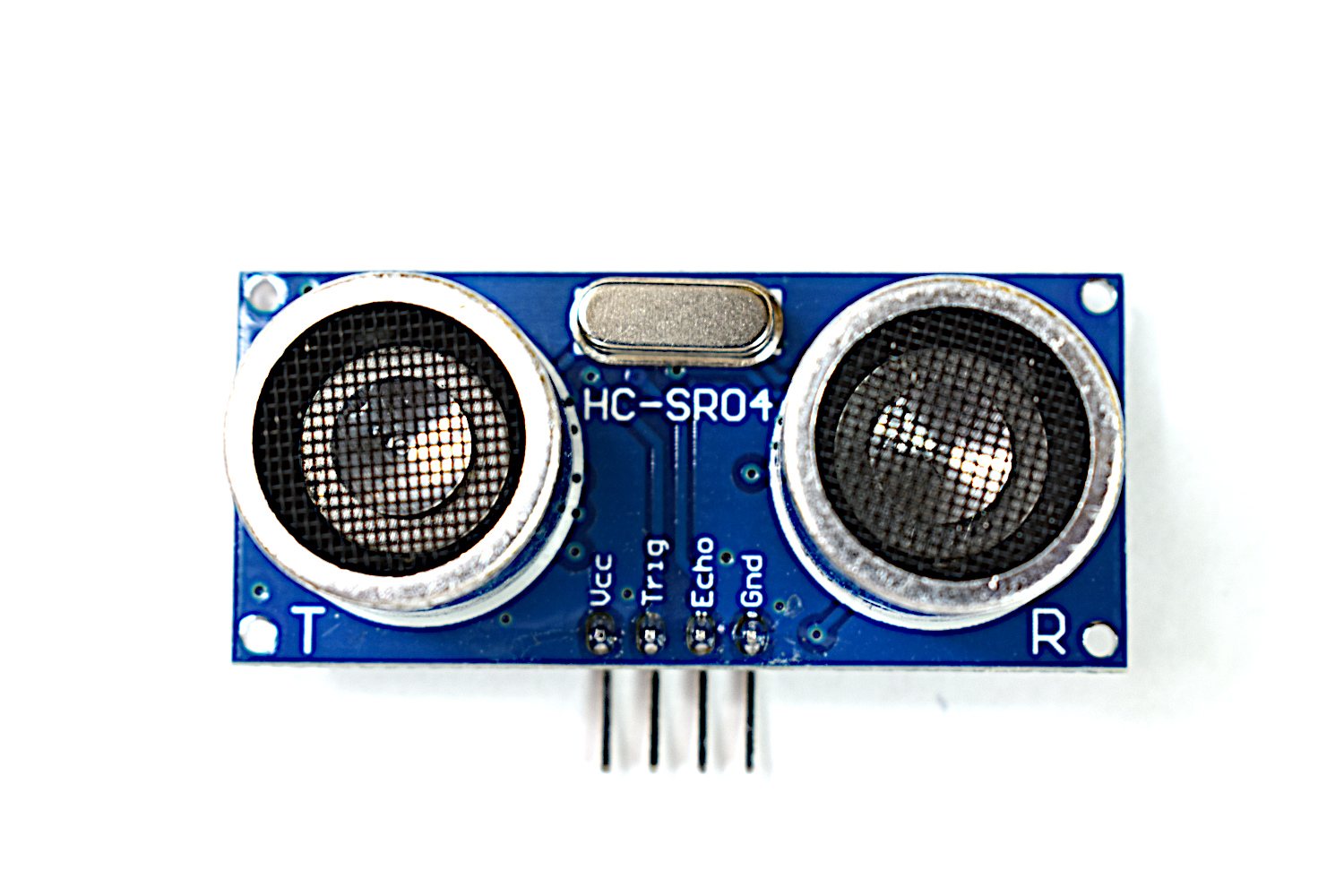
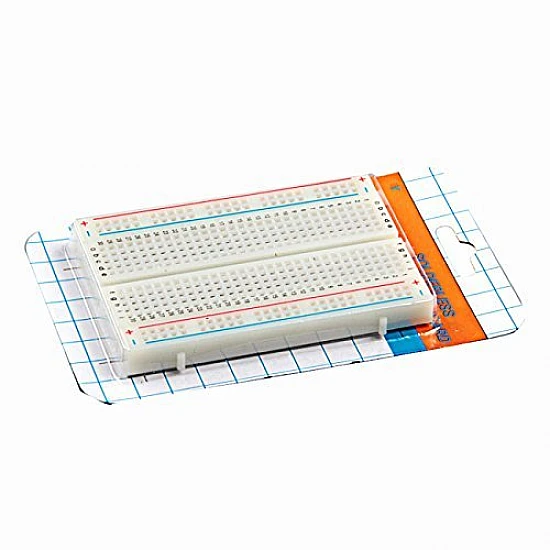
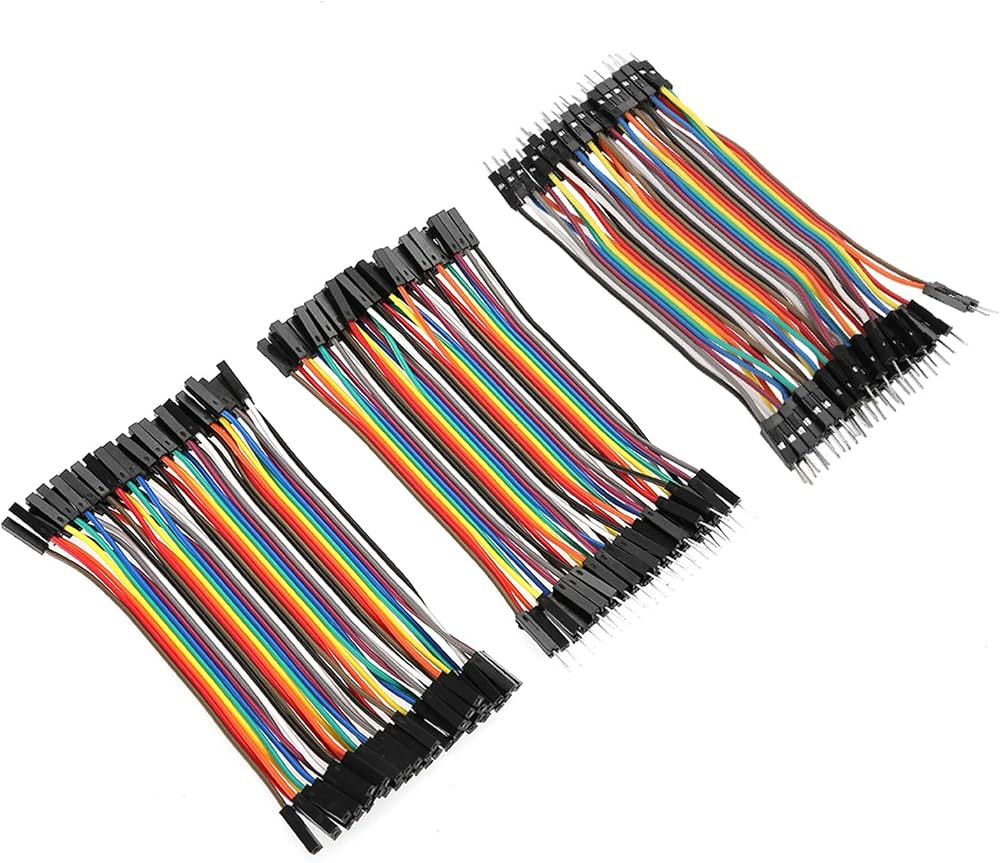
Arduino Ultrasonic Distance & Parking Learning Kit
All 9 parts in one box, with this project and 8 more to build from them.
Need only these parts? Order them loose · from AED 78.30
One of each part. Packs (resistor assortment, jumper wires) already hold more than a single build needs. a computer with the Serial Plotter, your hand or a book: included in the kit, ask us for it loose. Delivery is AED 20, free on orders AED 100+.
Connections
Unplug USB before you change any wire. Pin names are the labels printed on the board.
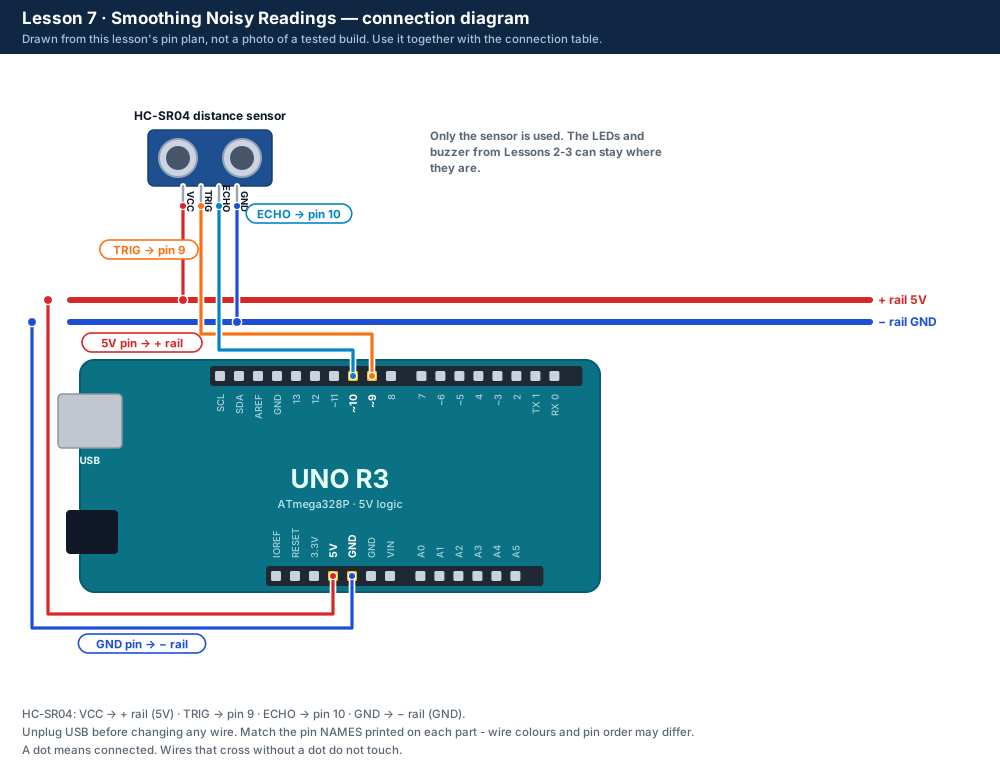
| Part / pin | Connect to | Note |
|---|---|---|
| No changes | Sensor as in Lesson 1 | TRIG pin 9 · ECHO pin 10 |
Step by step
One thing at a time. Tick nothing off until it matches the diagram.
- Upload the Lesson 7 code. No wiring changes are needed.
- Close the Serial Monitor, then open Tools → Serial Plotter at 9600 baud.Watch out: Only one of the two can be open at a time.
- Hold a book still 40 cm away: the three lines lie on top of each other.
- Wave your hand quickly through the beam: watch which line jumps.
- Now move the book smoothly from 40 cm to 20 cm: watch which line lags behind.
Sketch for this project
Written for the board in the kit. Copy it into the Arduino IDE; change the pin numbers if you wire it differently.
/*
  DIY KIT - Arduino Ultrasonic Distance & Parking Learning Kit
  Lesson 7 of 9: Smoothing Noisy Readings

  WIRING: the sensor from Lesson 1 (TRIG pin 9, ECHO pin 10).

  WHAT SHOULD HAPPEN
    Open Tools > Serial Plotter at 9600 baud. Three lines follow the target:
      raw     - every single reading (jumpy)
      average - the mean of the last 5 readings (smooth, but slow to react)
      median  - the middle of the last 5 readings (ignores single spikes)
    Wave a hand quickly through the beam and watch which line jumps.
*/

const int TRIG_PIN = 9;
const int ECHO_PIN = 10;

const int WINDOW = 5;                          // how many readings each filter remembers - try 3 or 9
const unsigned long ECHO_TIMEOUT_US = 30000;
const int MIN_CM = 2;
const int MAX_CM = 400;

long history[WINDOW];     // the last WINDOW good readings
int filled = 0;           // how many slots hold a reading so far
int nextSlot = 0;         // where the next reading goes

long readOnceCm() {
  digitalWrite(TRIG_PIN, LOW);
  delayMicroseconds(2);
  digitalWrite(TRIG_PIN, HIGH);
  delayMicroseconds(10);
  digitalWrite(TRIG_PIN, LOW);
  unsigned long us = pulseIn(ECHO_PIN, HIGH, ECHO_TIMEOUT_US);
  if (us == 0) return 0;
  long cm = us / 58;
  if (cm < MIN_CM || cm > MAX_CM) return 0;
  return cm;
}

long averageOfHistory() {
  long total = 0;
  for (int i = 0; i < filled; i++) total = total + history[i];
  long average = total / filled;   // whole centimetres
  return average;
}

long medianOfHistory() {
  long sorted[WINDOW];
  for (int i = 0; i < filled; i++) sorted[i] = history[i];
  for (int i = 1; i < filled; i++) {          // sort, smallest first
    long value = sorted[i];
    int j = i - 1;
    while (j >= 0 && sorted[j] > value) {
      sorted[j + 1] = sorted[j];
      j--;
    }
    sorted[j + 1] = value;
  }
  return sorted[filled / 2];                  // the middle one
}

void setup() {
  pinMode(TRIG_PIN, OUTPUT);
  pinMode(ECHO_PIN, INPUT);
  Serial.begin(9600);
}

void loop() {
  long cm = readOnceCm();
  if (cm > 0) {                                // skip "no echo" readings
    history[nextSlot] = cm;
    nextSlot = (nextSlot + 1) % WINDOW;        // go round in a circle
    if (filled < WINDOW) filled++;

    // "name:value,name:value" is the format the Serial Plotter draws.
    Serial.print("raw:");
    Serial.print(cm);
    Serial.print(",average:");
    Serial.print(averageOfHistory());
    Serial.print(",median:");
    Serial.println(medianOfHistory());
  }
  delay(80);
}Upload it
- Click Copy (or Download .ino and open the file).
- In the Arduino IDE choose File → New Sketch, select everything in it and paste.
- Check the bottom of the window says Arduino Uno and your port (Start here, step 5).
- Click Upload (the → arrow) and wait for Done uploading.
How the code works
| In the code | What it does |
|---|---|
| long history[WINDOW]; | The array that remembers the last 5 readings. |
| nextSlot = (nextSlot + 1) % WINDOW; | Moves to the next box and wraps from 4 back to 0. |
| medianOfHistory() | Copies the readings, sorts them smallest first, and returns the middle one. |
| Serial.print("raw:") ... | The "name:value,name:value" pattern is what the Serial Plotter draws as labelled lines. |
Change it and see
What you should see or hear
- Three lines - raw, average, median - that sit together while the book is still.
- A quick hand wave: raw jumps, average bumps, median barely moves.
- A smooth move: average and median follow a moment after raw.
If it doesn't work
| Problem | What to check |
|---|---|
| The Plotter shows nothing | Close the Serial Monitor first, then open the Plotter. Check the speed is 9600 baud. |
| Only one line | Upload the Lesson 7 code again: the line names come from the raw:, average: and median: labels. |
| The lines jump to 0 | No echo readings are skipped, so 0 should not appear. If it does, check the sensor wiring. |
| The upload fails | See Start here, step 6: "If the upload fails". |
Small experiment
Numbers 30, 30, 31, 120, 30. Work out the average and the median by hand. Which one is closer to the real 30 cm?
Check what you learned
What is the median of 4, 9, 5, 100, 6?
Sorted: 4, 5, 6, 9, 100 → the middle one is 6.
Why does the average lag when the book moves?
It still includes the older readings from where the book was.
Which filter is better at ignoring a single spike?
The median.
Next
- Lesson 8 adds the OLED screen, so the distance shows without a computer screen.
Stuck?
Most problems are one wire in the wrong hole. Check these first:
- Unplug, then compare every wire with the lesson's diagram and table. One pin off is the most common problem.
- Sensor: are VCC, TRIG, ECHO and GND wired by their labels, with TRIG on 9 and ECHO on 10?
- LEDs: is the long leg on the resistor side?
- Is the − rail connected to a UNO GND pin, and the + rail to 5V?
- Serial Monitor: is it set to 9600 baud (and "New Line" when you type commands)?
- Upload problems: is Tools → Board set to Arduino Uno and Tools → Port to your UNO? (Start here, step 5.)
Open the troubleshooting table for this step →
Hi DIY KIT, I'm stuck on the Arduino Ultrasonic Distance & Parking Learning Kit.
Lesson: __
Step number: __
What should happen: __
What happens instead: __
Error message (copied exactly): __
I'll attach a photo of my wiring.
More from this kit
Lesson 1: Measure Distance with Sound
Wire the HC-SR04 and read distances in the Serial Monitor. Compare them with a ruler to see how accurate the sensor really is. Do Start here first.
Lesson 4: Blind Zone & No Echo
Find the sensor's limits: too close, too far and off to the side. The LEDs and running counts show good readings, "too close" and "no echo".
Lesson 5: Calibrate Your Sensor
Type the ruler distance, get 10 readings back: average, error, minimum, maximum and spread. Paste the rows into a spreadsheet and find your sensor's accuracy.
%22%2F%3E%3Cellipse%20cx%3D%2228%22%20cy%3D%2224%22%20rx%3D%2226%22%20ry%3D%2214%22%20fill%3D%22rgba(255%2C255%2C255%2C.18)%22%2F%3E%3Crect%20x%3D%2222%22%20y%3D%2228%22%20width%3D%2256%22%20height%3D%2250%22%20rx%3D%2212%22%20fill%3D%22url(%23b)%22%20filter%3D%22url(%23s)%22%2F%3E%3Cellipse%20cx%3D%2234%22%20cy%3D%2236%22%20rx%3D%2212%22%20ry%3D%226%22%20fill%3D%22rgba(255%2C255%2C255%2C.28)%22%20transform%3D%22rotate(-18%2034%2036)%22%2F%3E%3Crect%20x%3D%2234%22%20y%3D%2215%22%20width%3D%225%22%20height%3D%2214%22%20rx%3D%222.5%22%20fill%3D%22%236ee7b7%22%2F%3E%3Crect%20x%3D%2261%22%20y%3D%2215%22%20width%3D%225%22%20height%3D%2214%22%20rx%3D%222.5%22%20fill%3D%22%236ee7b7%22%2F%3E%3Ccircle%20cx%3D%2236.5%22%20cy%3D%2214%22%20r%3D%224%22%20fill%3D%22%23a7f3d0%22%2F%3E%3Ccircle%20cx%3D%2263.5%22%20cy%3D%2214%22%20r%3D%224%22%20fill%3D%22%23a7f3d0%22%2F%3E%3Crect%20x%3D%2228%22%20y%3D%2242%22%20width%3D%2244%22%20height%3D%2222%22%20rx%3D%226%22%20fill%3D%22%23022c22%22%2F%3E%3Cline%20x1%3D%2228%22%20y1%3D%2250%22%20x2%3D%2272%22%20y2%3D%2250%22%20stroke%3D%22%2334d399%22%20stroke-width%3D%22.8%22%20stroke-opacity%3D%22.5%22%2F%3E%3Cline%20x1%3D%2228%22%20y1%3D%2257%22%20x2%3D%2272%22%20y2%3D%2257%22%20stroke%3D%22%2334d399%22%20stroke-width%3D%22.8%22%20stroke-opacity%3D%22.5%22%2F%3E%3Cline%20x1%3D%2244%22%20y1%3D%2242%22%20x2%3D%2244%22%20y2%3D%2264%22%20stroke%3D%22%2334d399%22%20stroke-width%3D%22.8%22%20stroke-opacity%3D%22.5%22%2F%3E%3Cline%20x1%3D%2256%22%20y1%3D%2242%22%20x2%3D%2256%22%20y2%3D%2264%22%20stroke%3D%22%2334d399%22%20stroke-width%3D%22.8%22%20stroke-opacity%3D%22.5%22%2F%3E%3Ccircle%20cx%3D%2238%22%20cy%3D%2252%22%20r%3D%226%22%20fill%3D%22%2334d399%22%20opacity%3D%22.9%22%2F%3E%3Ccircle%20cx%3D%2262%22%20cy%3D%2252%22%20r%3D%226%22%20fill%3D%22%2334d399%22%20opacity%3D%22.9%22%2F%3E%3Ccircle%20cx%3D%2236.5%22%20cy%3D%2250.5%22%20r%3D%222%22%20fill%3D%22white%22%2F%3E%3Ccircle%20cx%3D%2260.5%22%20cy%3D%2250.5%22%20r%3D%222%22%20fill%3D%22white%22%2F%3E%3Cpath%20d%3D%22M36%2068%20Q50%2076%2064%2068%22%20fill%3D%22none%22%20stroke%3D%22%23022c22%22%20stroke-width%3D%222.5%22%20stroke-linecap%3D%22round%22%2F%3E%3C%2Fsvg%3E)