Lesson 6: Angles & Surfaces
Fire 20 pings at different targets - flat, soft, round, thin, tilted - and count how many echoes come back. Find out what the sensor finds hard to see.
Before you start
Exact parts
| Part | How many |
|---|---|
| Wiring from Lesson 1 (the other parts can stay) | |
| Flat card, cushion or jumper, bottle, pencil (yours) |
Not in the box
- Test objects: a flat card, a cushion or jumper, a bottle and a pencil (yours)
What you build and learn
- How echoes reflect like light in a mirror
- Why soft, small and tilted targets are hard to detect
- Running a fair test: change one thing at a time
- Recording results in a table
Sound bounces off a flat surface at the same angle it arrives, like a ball off a wall. A card facing the sensor sends the echo straight back; a tilted card sends it off to the side.
Soft materials absorb much of the sound, so the echo is weak. Thin or round objects reflect only a little sound back towards the sensor.
Each trial fires 20 pings, 50 ms apart, then prints: trial, echoes back, missed %, average, min and max. You then have 5 seconds to change the target.
This is why real distance sensors are never the only safety check: they can miss things that are really there.
New words
- Reflection
- Sound bouncing off a surface. A flat surface sends it straight back if it faces the sensor.
- Absorb
- Soak up. Soft materials like cushions absorb sound instead of reflecting it.
- Fair test
- An experiment where you change only one thing, so you know what caused the difference.
What this project uses
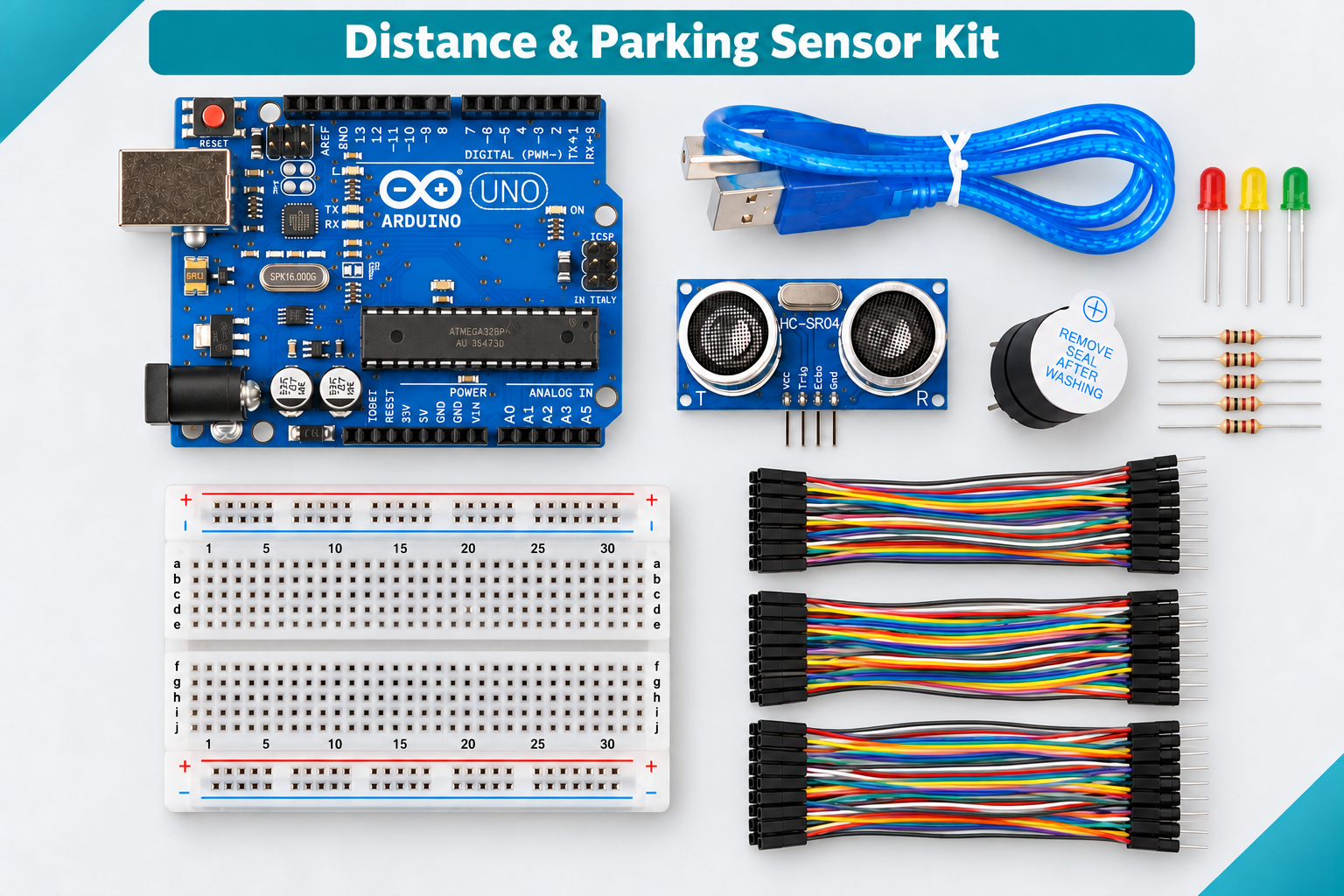
Every item below is in the kit. Not in the box: Test objects: a flat card, a cushion or jumper, a bottle and a pencil (yours).

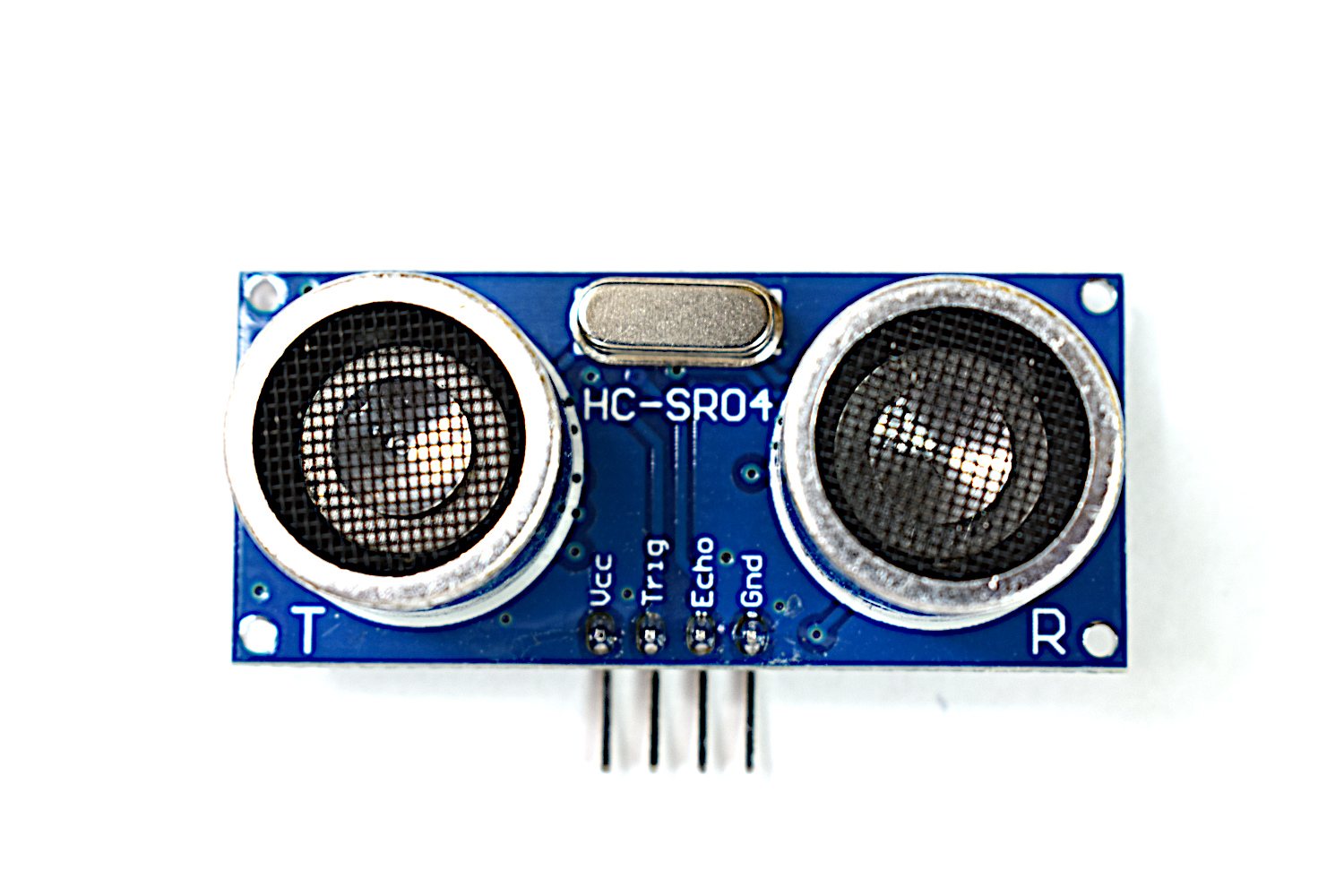
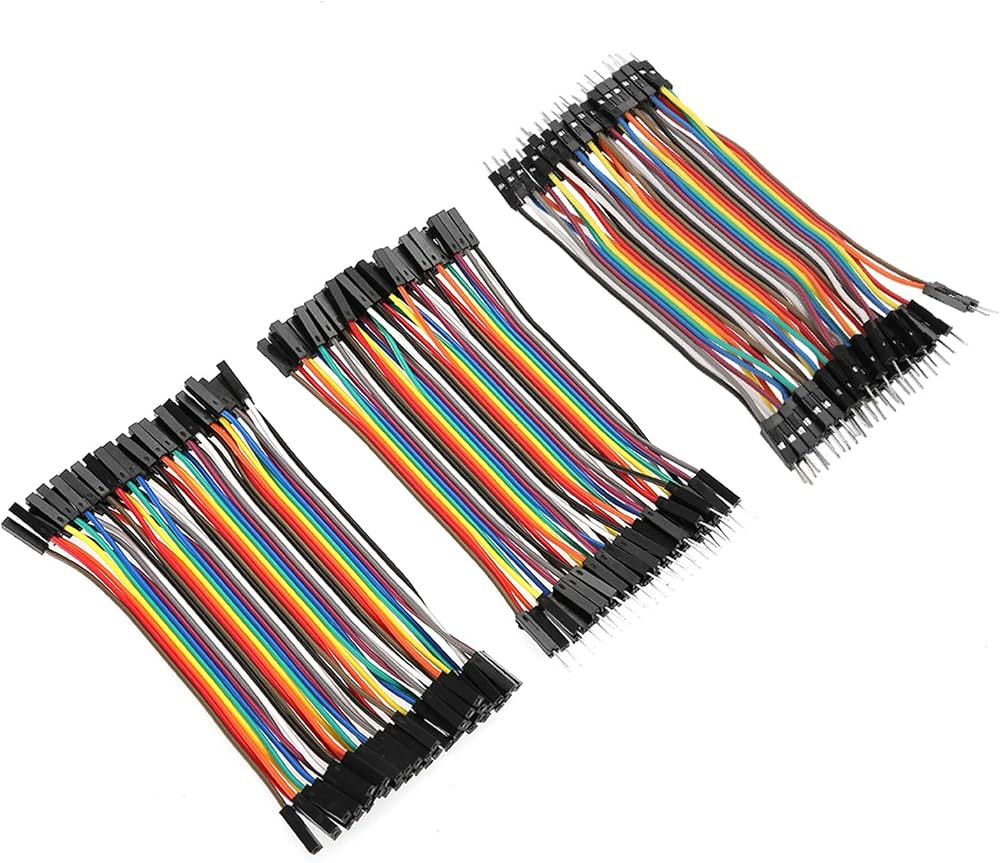
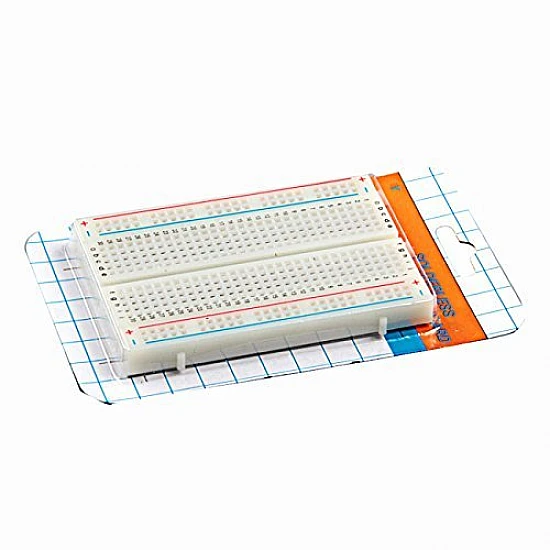
Arduino Ultrasonic Distance & Parking Learning Kit
All 9 parts in one box, with this project and 8 more to build from them.
Need only these parts? Order them loose · from AED 78.30
One of each part. Packs (resistor assortment, jumper wires) already hold more than a single build needs. a flat card, a bottle, a pencil (yours): included in the kit, ask us for it loose. Delivery is AED 20, free on orders AED 100+.
Connections
Unplug USB before you change any wire. Pin names are the labels printed on the board.
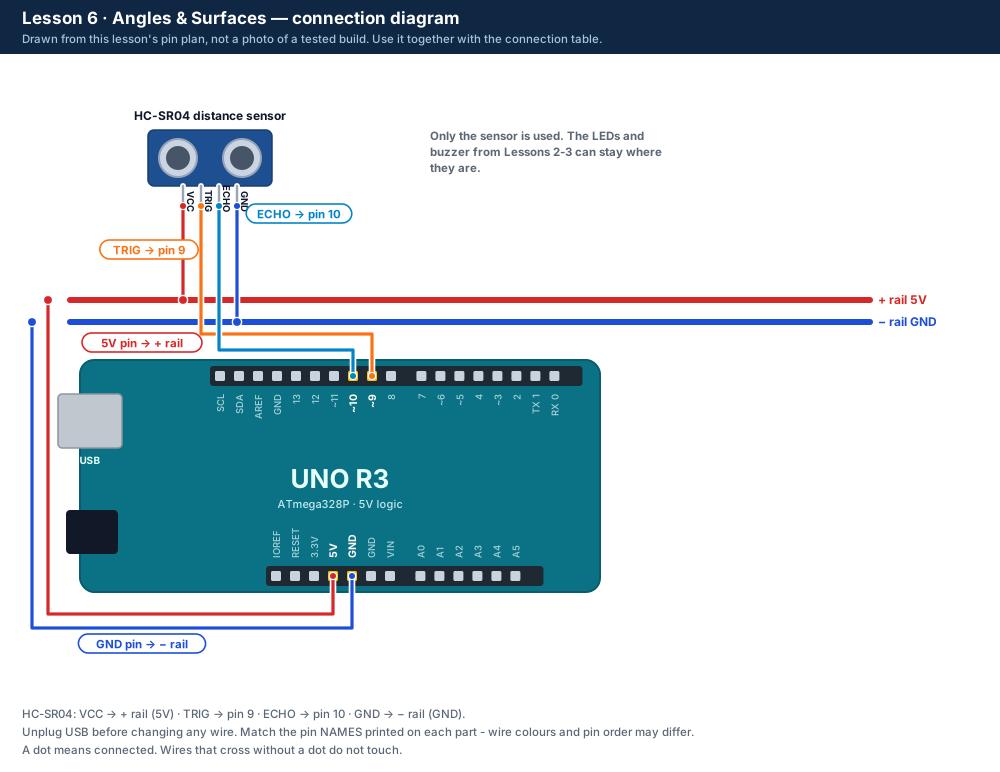
| Part / pin | Connect to | Note |
|---|---|---|
| No changes | Sensor as in Lesson 1 | TRIG pin 9 · ECHO pin 10 |
Step by step
One thing at a time. Tick nothing off until it matches the diagram.
- Upload the Lesson 6 code. No wiring changes are needed.
- Open the Serial Monitor at 9600 baud.
- Put the flat card 30 cm away, square to the sensor. Wait for a row.
- After "Change the target now", swap to the next target at the same 30 cm: card tilted about 45°, cushion, bottle, pencil.Watch out: Keep the distance the same: change only the target.
- Copy the rows into a table or spreadsheet and compare the missed %.
Sketch for this project
Written for the board in the kit. Copy it into the Arduino IDE; change the pin numbers if you wire it differently.
/*
  DIY KIT - Arduino Ultrasonic Distance & Parking Learning Kit
  Lesson 6 of 9: Angles & Surfaces

  WIRING: the sensor from Lesson 1 (TRIG pin 9, ECHO pin 10).

  HOW TO USE IT
    Every 5 seconds the UNO fires 20 pings at the target and prints one row:
    trial, echoes_back, missed_percent, average_cm, min_cm, max_cm
    Between rows, change the target: flat card, card tilted, a cushion or
    jumper, a bottle, a pencil. Keep it at the same distance (about 30 cm).
    Open the Serial Monitor at 9600 baud.
*/

const int TRIG_PIN = 9;
const int ECHO_PIN = 10;

const int PINGS = 20;                          // pings per trial
const unsigned long GAP_MS = 5000;             // time to change the target
const unsigned long ECHO_TIMEOUT_US = 30000;
const int MIN_CM = 2;
const int MAX_CM = 400;

int trial = 0;

long readOnceCm() {
  digitalWrite(TRIG_PIN, LOW);
  delayMicroseconds(2);
  digitalWrite(TRIG_PIN, HIGH);
  delayMicroseconds(10);
  digitalWrite(TRIG_PIN, LOW);
  unsigned long us = pulseIn(ECHO_PIN, HIGH, ECHO_TIMEOUT_US);
  if (us == 0) return 0;
  long cm = us / 58;
  if (cm < MIN_CM || cm > MAX_CM) return 0;
  return cm;
}

void setup() {
  pinMode(TRIG_PIN, OUTPUT);
  pinMode(ECHO_PIN, INPUT);
  Serial.begin(9600);
  Serial.println("Lesson 6: Angles & Surfaces");
  Serial.println("trial,echoes_back,missed_percent,average_cm,min_cm,max_cm");
}

void loop() {
  int back = 0;
  long total = 0;
  long lowest = 9999;
  long highest = 0;

  for (int i = 0; i < PINGS; i++) {
    long cm = readOnceCm();
    if (cm > 0) {
      back = back + 1;
      total = total + cm;
      if (cm < lowest) lowest = cm;
      if (cm > highest) highest = cm;
    }
    delay(50);
  }

  trial = trial + 1;
  int missedPercent = (PINGS - back) * 100 / PINGS;
  Serial.print(trial);          Serial.print(",");
  Serial.print(back);           Serial.print(",");
  Serial.print(missedPercent);  Serial.print(",");
  if (back > 0) {
    long average = total / back;
    Serial.print(average);      Serial.print(",");
    Serial.print(lowest);       Serial.print(",");
    Serial.println(highest);
  } else {
    Serial.println("NA,NA,NA");
  }
  Serial.println("Change the target now - next trial in 5 seconds.");
  delay(GAP_MS);
}Upload it
- Click Copy (or Download .ino and open the file).
- In the Arduino IDE choose File → New Sketch, select everything in it and paste.
- Check the bottom of the window says Arduino Uno and your port (Start here, step 5).
- Click Upload (the → arrow) and wait for Done uploading.
How the code works
| In the code | What it does |
|---|---|
| const int PINGS = 20; | How many pings make one trial. |
| back = back + 1; | Counts the pings that came back. |
| (PINGS - back) * 100 / PINGS | The share of pings that were missed, as a percentage. |
| delay(GAP_MS); | A 5-second pause for you to change the target. |
Change it and see
What you should see or hear
- Flat card: 20 echoes back, 0% missed, steady average.
- Tilted card, cushion or pencil: fewer echoes and a bigger gap between min and max.
- A row ending in NA,NA,NA means no echo came back at all.
If it doesn't work
| Problem | What to check |
|---|---|
| Every target gives 20 echoes | Try a steeper tilt (60°) or move the target further away (50 cm). Hard surfaces like a bottle may still reflect well. |
| Every target gives 0 echoes | Unplug USB. Check VCC to the + rail, GND to the − rail, TRIG to pin 9 and ECHO to pin 10 - by the labels on the sensor, not their position. Point it at a big flat object 20-50 cm away. |
| Nothing or strange symbols in the Serial Monitor | Set the speed in the corner of the Serial Monitor to 9600 baud. Close the Serial Plotter if it is open. |
Small experiment
Tilt the card in steps of 15° (0°, 15°, 30°, 45°, 60°). At what angle do the echoes start to go missing?
Check what you learned
Why does a tilted card return fewer echoes?
The sound bounces off at an angle and misses the sensor's receiver.
Why is a cushion hard to detect?
Soft material absorbs the sound, so the echo is weak.
What makes this a fair test?
Only the target changes; the distance and the sensor stay the same.
Next
- Lesson 7 smooths out noisy readings with two kinds of filter.
Stuck?
Most problems are one wire in the wrong hole. Check these first:
- Unplug, then compare every wire with the lesson's diagram and table. One pin off is the most common problem.
- Sensor: are VCC, TRIG, ECHO and GND wired by their labels, with TRIG on 9 and ECHO on 10?
- LEDs: is the long leg on the resistor side?
- Is the − rail connected to a UNO GND pin, and the + rail to 5V?
- Serial Monitor: is it set to 9600 baud (and "New Line" when you type commands)?
- Upload problems: is Tools → Board set to Arduino Uno and Tools → Port to your UNO? (Start here, step 5.)
Open the troubleshooting table for this step →
Hi DIY KIT, I'm stuck on the Arduino Ultrasonic Distance & Parking Learning Kit.
Lesson: __
Step number: __
What should happen: __
What happens instead: __
Error message (copied exactly): __
I'll attach a photo of my wiring.
More from this kit
Lesson 1: Measure Distance with Sound
Wire the HC-SR04 and read distances in the Serial Monitor. Compare them with a ruler to see how accurate the sensor really is. Do Start here first.
Lesson 4: Blind Zone & No Echo
Find the sensor's limits: too close, too far and off to the side. The LEDs and running counts show good readings, "too close" and "no echo".
Lesson 5: Calibrate Your Sensor
Type the ruler distance, get 10 readings back: average, error, minimum, maximum and spread. Paste the rows into a spreadsheet and find your sensor's accuracy.
%22%2F%3E%3Cellipse%20cx%3D%2228%22%20cy%3D%2224%22%20rx%3D%2226%22%20ry%3D%2214%22%20fill%3D%22rgba(255%2C255%2C255%2C.18)%22%2F%3E%3Crect%20x%3D%2222%22%20y%3D%2228%22%20width%3D%2256%22%20height%3D%2250%22%20rx%3D%2212%22%20fill%3D%22url(%23b)%22%20filter%3D%22url(%23s)%22%2F%3E%3Cellipse%20cx%3D%2234%22%20cy%3D%2236%22%20rx%3D%2212%22%20ry%3D%226%22%20fill%3D%22rgba(255%2C255%2C255%2C.28)%22%20transform%3D%22rotate(-18%2034%2036)%22%2F%3E%3Crect%20x%3D%2234%22%20y%3D%2215%22%20width%3D%225%22%20height%3D%2214%22%20rx%3D%222.5%22%20fill%3D%22%236ee7b7%22%2F%3E%3Crect%20x%3D%2261%22%20y%3D%2215%22%20width%3D%225%22%20height%3D%2214%22%20rx%3D%222.5%22%20fill%3D%22%236ee7b7%22%2F%3E%3Ccircle%20cx%3D%2236.5%22%20cy%3D%2214%22%20r%3D%224%22%20fill%3D%22%23a7f3d0%22%2F%3E%3Ccircle%20cx%3D%2263.5%22%20cy%3D%2214%22%20r%3D%224%22%20fill%3D%22%23a7f3d0%22%2F%3E%3Crect%20x%3D%2228%22%20y%3D%2242%22%20width%3D%2244%22%20height%3D%2222%22%20rx%3D%226%22%20fill%3D%22%23022c22%22%2F%3E%3Cline%20x1%3D%2228%22%20y1%3D%2250%22%20x2%3D%2272%22%20y2%3D%2250%22%20stroke%3D%22%2334d399%22%20stroke-width%3D%22.8%22%20stroke-opacity%3D%22.5%22%2F%3E%3Cline%20x1%3D%2228%22%20y1%3D%2257%22%20x2%3D%2272%22%20y2%3D%2257%22%20stroke%3D%22%2334d399%22%20stroke-width%3D%22.8%22%20stroke-opacity%3D%22.5%22%2F%3E%3Cline%20x1%3D%2244%22%20y1%3D%2242%22%20x2%3D%2244%22%20y2%3D%2264%22%20stroke%3D%22%2334d399%22%20stroke-width%3D%22.8%22%20stroke-opacity%3D%22.5%22%2F%3E%3Cline%20x1%3D%2256%22%20y1%3D%2242%22%20x2%3D%2256%22%20y2%3D%2264%22%20stroke%3D%22%2334d399%22%20stroke-width%3D%22.8%22%20stroke-opacity%3D%22.5%22%2F%3E%3Ccircle%20cx%3D%2238%22%20cy%3D%2252%22%20r%3D%226%22%20fill%3D%22%2334d399%22%20opacity%3D%22.9%22%2F%3E%3Ccircle%20cx%3D%2262%22%20cy%3D%2252%22%20r%3D%226%22%20fill%3D%22%2334d399%22%20opacity%3D%22.9%22%2F%3E%3Ccircle%20cx%3D%2236.5%22%20cy%3D%2250.5%22%20r%3D%222%22%20fill%3D%22white%22%2F%3E%3Ccircle%20cx%3D%2260.5%22%20cy%3D%2250.5%22%20r%3D%222%22%20fill%3D%22white%22%2F%3E%3Cpath%20d%3D%22M36%2068%20Q50%2076%2064%2068%22%20fill%3D%22none%22%20stroke%3D%22%23022c22%22%20stroke-width%3D%222.5%22%20stroke-linecap%3D%22round%22%2F%3E%3C%2Fsvg%3E)